Archiv für den Autor: Andreas

Google Releases September 2026 Spam Update

 September 2026 Spam Update

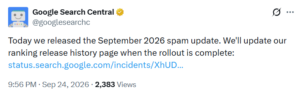
Google has begun rolling out the September 2026 spam update. The announcement came today from Google Search Central on X.

Here’s what they posted:

“Today we released the September 2026 spam update. We’ll update our ranking release history page when the rollout is complete.”

According to Google, this update applies globally and to all languages, and the rollout is expected to take up to two weeks to complete.

This update will target websites violating some of Google search spam policies. It does not target link spam, and it does not target every single spam policy though Google did not mention any specific changes with this release.

If you run a website and notice ranking movement over the next two weeks, it may be related to this update but it could also be unrelated fluctuation, so don’t jump to conclusions until the rollout is fully complete.

The post Google Releases September 2026 Spam Update appeared first on Search Engine Watch.

Source:: searchenginewatch.com

How to use Search Console’s new multimodal search filter

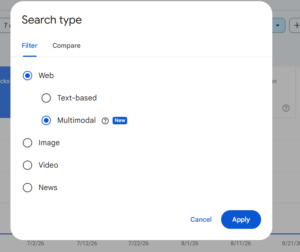
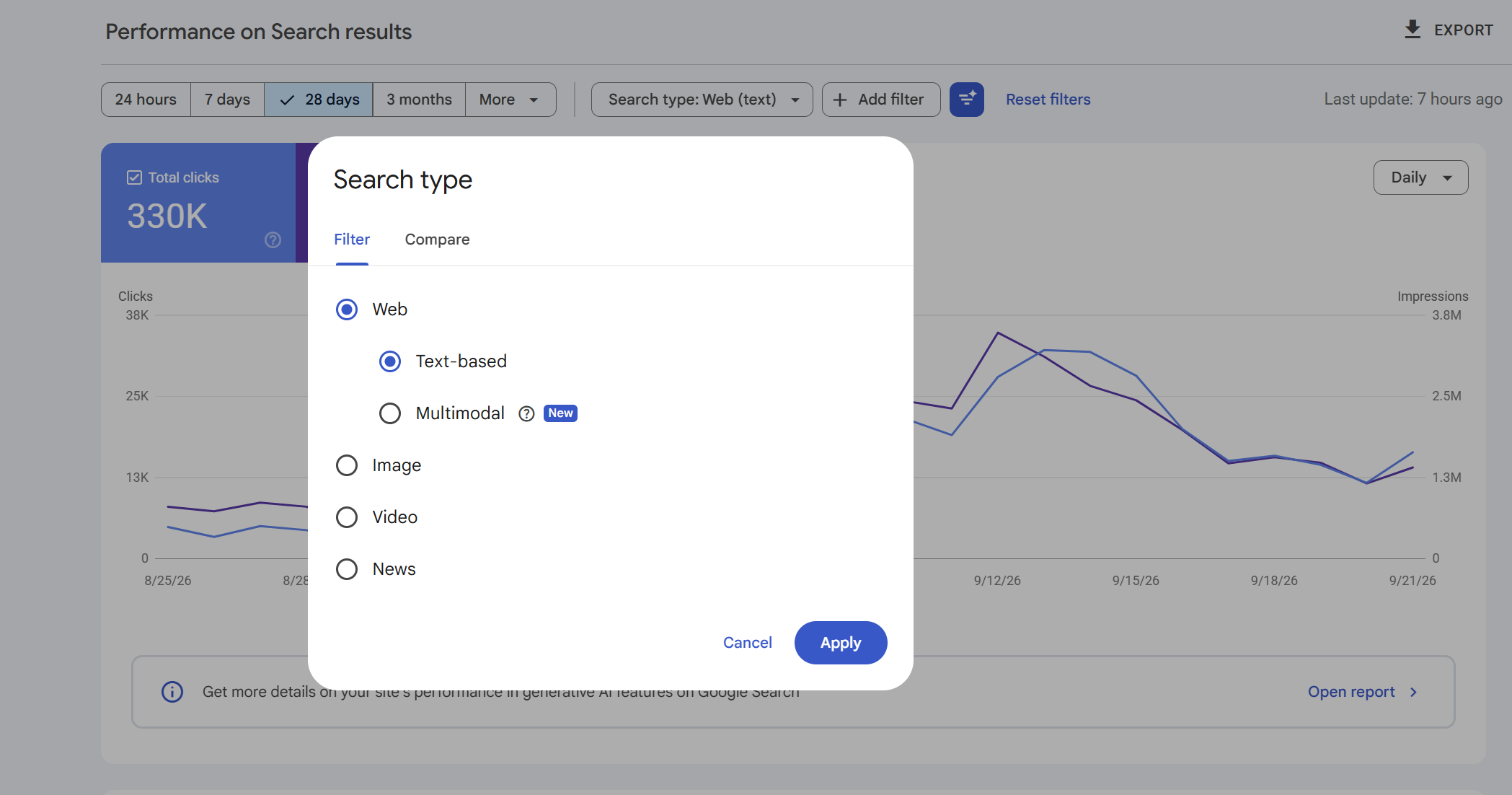
Google has added Web: multimodal to the Search type filter in Search Console. It shows how your site performs when someone searches using an image, including through Google Lens, Circle to Search on Android, an image uploaded to Google Search, or Chrome’s Search this image action. Use it in Search results to see clicks and impressions, and in Generative AI to see impressions from AI Overviews and AI Mode. Google began rolling it out globally on September 24, 2026.

Open the multimodal report

  1. Sign in to Google Search Console and choose the property you want to inspect.
  2. In the left menu, open Performance > Search results.
  3. At the top of the report, click Search type. Choose Web: multimodal and apply the filter.

  4. Set a date range that includes available multimodal data. The chart now shows your site’s clicks and impressions from these searches. Use the Pages, Countries, Devices and Dates tabs beneath the chart to inspect the results.

You don’t have to connect Lens or set up a separate property. Google says the metrics appear when your site receives qualifying activity as the feature rolls out.

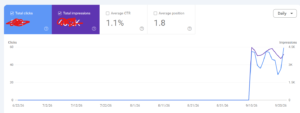
Our news report on the launch includes screenshots of the filter and notes that one property showed data back to September 10. Check the first available date in your own property; Google has not announced a common historical start date for every site.

Read the Search results view

The chart shows clicks to your site and impressions in web search results for searches that included an image. Click Pages to see which URLs appeared, then select a URL row to focus on that page. You can switch to Countries or Devices while the page filter is active. Remove the page filter to return to property-wide results.

To see how the same page performs in text searches, keep its page filter and date range in place, then change Search type to Web: text-based. You can also export each view with Export and compare the same metric and date range across the two files. Google explicitly supports exporting the new multimodal data.

Google’s Search results documentation describes clicks, impressions, CTR and average position. The chart totals may differ from the Pages table because property-level and page-level aggregation use different counting rules.

See image-led searches in AI Overviews and AI Mode

Return to the left menu and open Performance > Generative AI. Set Search type to Web: multimodal. The chart shows impressions for your site in Google’s AI Overviews and AI Mode when an image was part of the search. The Pages tab shows which URLs were linked; Countries, Devices and Dates offer other ways to inspect the report.

This report shows impressions. For clicks from multimodal web search, use Search results. Google’s Generative AI performance documentation lists its covered features, dimensions and counting rules.

If you cannot see data yet

Check that you selected the intended property and a date range covering the rollout. Google says the new metrics appear when a site receives traffic from these searches; an empty view may simply mean there is no qualifying data to display yet. The rollout began globally on September 24, so availability can also vary while it completes.

If Generative AI itself is absent, Google’s help page mentions report access during rollout and insufficient impressions in its supported AI features. You can still check the multimodal filter in Search results separately.

Our take

The useful change is the new search-type split. You can now open a property, select Web: multimodal, and see the pages and clicks associated with image-led web searches. The separate AI feature view shows which pages appeared in AI Overviews and AI Mode for that same search type. Google groups Lens, Circle to Search, image uploads and Chrome’s image search together under the multimodal label; the report does not provide a separate tally for each entry point.

The post How to use Search Console’s new multimodal search filter appeared first on Search Engine Watch.

Source:: searchenginewatch.com
Google AI Mode carousel now shows a mix of blog and product pages

Articles in ai mode

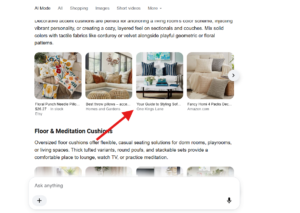
Google AI Mode is now mixing blog content in with product carousels. I searched for “cushions,” and out of four items in the carousel row, three led to product pages while one took me straight to a blog post instead.

That caught me off guard I don’t remember seeing blogs and products blended together like this in a single carousel before.

Here’s a screenshot of that third carousel item, which led to a blog post titled “Your Guide to Styling.”

I could be wrong about this being new, but it’s not something I’d noticed before, either in AI Mode or regular search.

The post Google AI Mode carousel now shows a mix of blog and product pages appeared first on Search Engine Watch.

Source:: searchenginewatch.com
Google Search Console adds new multimodal filter

new multimodel search filter in search console

Google Search Console has added a new multimodal filter. This new report tracks search results triggered by queries that use an image, photo, or screenshot, while text-only queries continue to be tracked as web text-based.

I was also able to replicate this within my own Search Console account, but it was first spotted by Tauqueer Aziz, who posted about it on X along with a screenshot and SER covered this.

Google also announced this and wrote:

“Today, we are excited to introduce Search Console reporting for web multimodal search, in the report for performance on Search results as well as in the report for Generative AI features. This update is designed to give you insights into how your content is surfaced when users search using images (such as with a smartphone camera). The data reported here includes searches with Lens, Circle to Search on Android, image uploads to Google Search, and the Chrome right-click ‘Search this image‘ feature.”

Interestingly, when applying this filter within my own Search Console account, the data only tracks back to September 10.

New Search Console adds new multimodal filter

Image Credit: Nowmediagroup

The post Google Search Console adds new multimodal filter appeared first on Search Engine Watch.

Source:: searchenginewatch.com
Bing free listing panel now showing more ads

ads in free listing

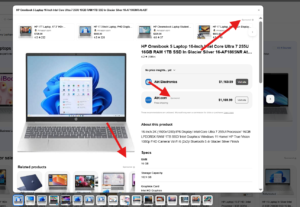
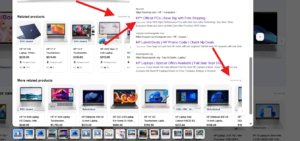
Bing’s free listing panel is now showing more ads. As we’ve covered, Bing continues testing various changes across its SERP, and today I noticed the free listing panel displaying a higher number of ads than before.

Here is a screenshot of this.

ads in free listing

Showing more ads within the free listing panel feels a bit unusual. While this could benefit advertisers running ads there, it might also confuse users who see a mix of ads and organic listings, making it harder to know exactly where to click.

The post Bing free listing panel now showing more ads appeared first on Search Engine Watch.

Source:: searchenginewatch.com