xAI has released Grok 4.7 in Cursor, Grok Build and through its API. The company is also changing how it charges developers to search X, moving from a fee per search call to charges for the posts and profiles returned.
The new billing terms take effect at noon Pacific on September 21. X Search previously cost $5 per 1,000 tool calls. Under the new system, developers will pay $5 per 1,000 posts fetched and $10 per 1,000 user profiles fetched.
Every returned post counts, including parent posts and quoted posts retrieved as part of a thread. Model token charges are separate.
The change concerns the X Search tool in xAI’s API, which lets applications search posts and retrieve conversations from X.
Grok 4.7’s standard token rates remain the same as Grok 4.6. xAI says the new model is better at handling lengthy tasks, checking its work and creating documents and presentations.
Searches that retrieve more posts will cost more
Consider an application making 100 search calls, each returning 20 posts:
Retrieval fees
Cost
Previous call-based billing
$0.50
New billing for 2,000 posts
$10
That calculation excludes model tokens and profile lookups. For a brand-monitoring application collecting many posts at a time, the volume retrieved will now determine the search fee. The number of requests alone will no longer show how much that part of the service costs.
Cloudflare’s Bot Preference Sync updates a website’s robots.txt from the AI crawler settings in its dashboard. It follows broad categories such as search and training, so publishers with exceptions for individual companies still need to manage those separately. Cloudflare says the sync does not read custom firewall rules.
Cloudflare places its generated instructions above the site’s existing file, inside a marked block, and preserves the original contents below. It periodically updates the generated bot list. A publisher that needs a company-specific exception is directed to turn off sync and maintain its own file.
That file tells cooperating crawlers what the publisher permits. It cannot technically stop a crawler that ignores it. Cloudflare’s robots.txt documentation makes that distinction explicit: refusing a request requires an enforcement control such as AI Crawl Control.
Under Cloudflare’s September 15 update, Disallow AI Training publishes a training preference while allowing qualifying mixed-use crawlers to continue fetching pages for search. Other training crawlers are blocked. Selecting the new Training Block setting also stops Googlebot, Bingbot and Applebot; Block on pages with ads does so on affected pages.
Cloudflare says existing Training blocks migrate to Disallow AI Training, revising the plan described in SEW’s earlier report. Other search restrictions still apply.
ChatGPT search does not require GPTBot access
A publisher deciding which AI companies to admit should check what each crawler does. OpenAI uses OAI-SearchBot for ChatGPT search and GPTBot for content that may be used in model training. Its crawler documentation explicitly permits allowing the former while disallowing the latter.
A site can therefore remain eligible for ChatGPT search without granting GPTBot training access. Allowing search crawling does not guarantee inclusion, citations or referral traffic, but training permission is not a prerequisite in these documented controls.
Google and Bing use different opt-outs
Google’s Google-Extended control governs specified Gemini training and grounding uses. Grounding supplies source material when a model generates an answer. Google-Extended is a robots.txt token, with no separate HTTP crawler, and Google says it does not affect Search inclusion or rankings.
That scope matters for publishers concerned about AI answers replacing visits. Google’s AI Search guidance addresses AI Overviews and AI Mode through Googlebot access and controls such as nosnippet, data-nosnippet, max-snippet and noindex. A Google-Extended training restriction should not be read as an instruction to remove a page from those search features.
Bing has an additional gap. Cloudflare says Microsoft’s robots.txt training opt-out is targeted for early 2027. Until it arrives, Disallow AI Training does not automatically communicate that preference to Bing.
The Microsoft guidance Cloudflare points to offers NOARCHIVE instead. It excludes content from future generative-model training and Bing Chat answers, including links in those answers, while retaining ordinary search availability. The trade-off is wider than training alone. Microsoft also says that if both NOCACHE and NOARCHIVE are present, it follows NOCACHE, which still permits URLs, titles and snippets to be used in training.
A company-wide allowlist can grant more than search access
Cloudflare’s categories can express a useful publisher policy: permit search and refuse training. OpenAI’s separate controls show why a company-wide allowlist can be unnecessarily broad. A publisher seeking ChatGPT referrals has a documented route that does not require admitting its training bot.
A specific training agreement creates a different requirement. Allowing one operator to train while excluding others needs an exception within the Training category, which the sync does not copy from custom rules. Before taking on manual file maintenance, establish whether the exception actually requires training access or only access for that operator’s search crawler.
Taboola’s acquisition of Dianomi is being framed as an expansion into finance advertising, but the deal terms show how important Dianomi’s publisher relationships are.
The UK adtech company works with more than 250 publishers, including Reuters, CNN Business, The Times and The Wall Street Journal, alongside advertisers such as Charles Schwab and Invesco.
Taboola will pay £19 million upfront. Dianomi shareholders can receive another £8 million if selected publishers move onto agreements containing Taboola terms, including exclusivity, code-on-page requirements and minimum 24-month contracts.
The final payout also depends on how much revenue those publishers generate.
That makes publisher retention a direct part of the acquisition price.
Why Dianomi matters
Dianomi has already felt the effects of changing search behavior.
Platform impressions fell 14.1% in 2025, while average monthly unique devices dropped 13.5%. The company said AI-generated summaries and zero-click search contributed to lower readership at some publishers.
The picture improved in the first half of 2026, with impressions up 10%, helped by expanded relationships with CNN and the Associated Press.
For Taboola, Dianomi adds premium finance and business inventory it can plug into Realize, along with advertiser and publisher relationships that would take time to build from scratch.
Our take
The finance angle is obvious, but the contract terms are more revealing.
Taboola is not paying the full £27 million upfront. A meaningful part of the price depends on keeping important Dianomi publishers under longer agreements and generating revenue from them.
At a time when search traffic is becoming less predictable, access to those publisher relationships is becoming more valuable.
The most efficient AI SEO work starts with the pages that already matter to your business. Check that search systems can access them, give them something useful to cite, and correct any facts that could lead a customer to the wrong decision. For an accessible site, improving a handful of important pages is where I would put the first editorial budget.
I’ve spent 20 years building publishing websites and have also advised small businesses on SEO. That is the perspective behind this list: the work should improve the page for someone who actually needs it. A documented test, an explained calculation or a service description backed by a sample deliverable gives you information of your own. Google’s current guidance calls for this kind of noncommodity content.
Here, AI SEO means improving your chances of appearing in AI search answers, including Google AI Overviews, AI Mode, ChatGPT Search and Perplexity. The techniques below concern that visibility; using AI to produce articles or automate an SEO audit is a separate subject.
I’ve ordered them by the problems I would resolve first for a publisher or service business. The order weighs prerequisites, effort and the value of the improvement beyond a single AI platform. It is an editorial judgment, not a measured ranking of return on investment across seven interventions.
Priority
Technique
When it deserves your attention
1
Fix access and indexing problems
Important pages are blocked, excluded or missing from the index.
2
Support a clear answer with original evidence
The page makes claims that any competitor could repeat.
3
Answer the next useful question
Readers need information that is missing or difficult to find.
4
Correct facts that have changed
Prices, instructions, availability or conclusions are out of date.
5
Keep business and product records consistent
Customers discover you through local or shopping results.
6
Earn relevant independent coverage
Your own website is the main source for claims about your business.
7
Add structured data for supported features
Useful page information is missing from, or contradicted by, its markup.
For a shop, inaccurate product records move near the top. For a local business, the same applies to incorrect opening hours or contact details. Once access is working, technique two is the main content investment; you do not need to keep auditing a healthy page before improving it.
1. Fix crawler access and indexing problems
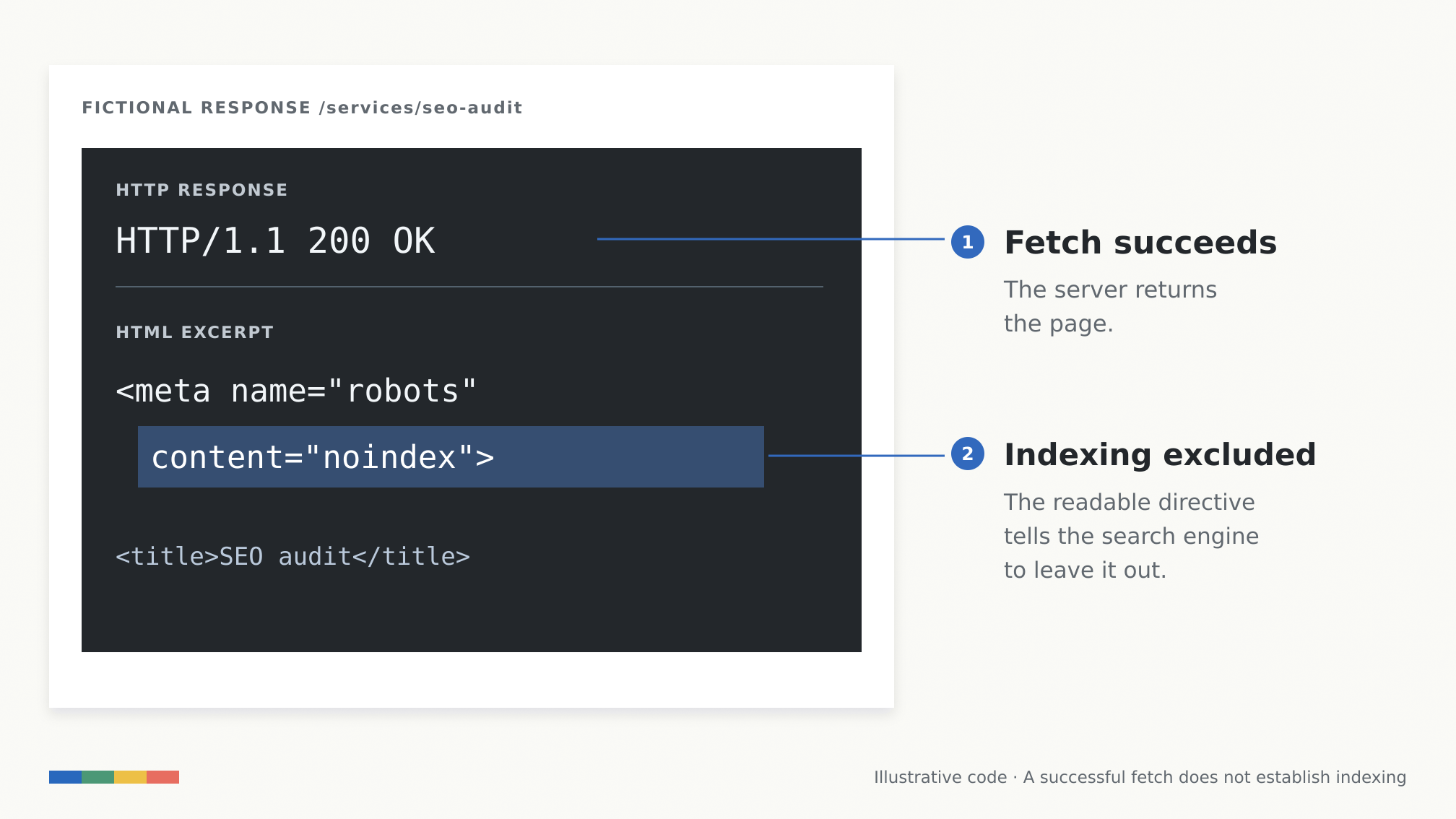
Fictional diagnostic example: the server can return a page successfully while a readable noindex directive excludes it from indexing. Graphic: SEW.
A useful page cannot contribute much if the relevant search system cannot retrieve it. Start with the pages you want customers to find: a service page, a product category, an important comparison or a guide that already brings qualified visitors.
For Google, check the URL in Search Console’s URL Inspection tool. Look at the indexed state and selected canonical, then use a live test when you need to investigate the current page. Google’s AI search documentation says supporting pages must be indexed and eligible to appear with a snippet. A live test that successfully fetches a URL does not establish that it is indexed or will be selected for an answer. Google’s AI features guidance explains those eligibility requirements.
Suppose a service page loads normally but still carries a noindex directive left over from staging. The server can return 200 OK while the page tells a compliant search engine to exclude it. If the page is intended to appear in search, remove the unintended directive, check the live page again and request indexing through the appropriate tool. Changing the copy would not have fixed that problem.
Also inspect crawler access at the firewall or CDN. A permissive robots.txt file is of little help if the actual request receives a challenge or access-denied response. Verify crawlers using the platform’s published guidance and IP information before changing security rules.
Different bots have different jobs. OpenAI documents OAI-SearchBot for ChatGPT search and GPTBot for potential model-training use. Those controls are independent, so you can allow search access while declining training use. ChatGPT-User handles certain user-initiated visits; allowing it is not the control for automatic search crawling. See OpenAI’s crawler documentation. For Perplexity search, review access for PerplexityBot.
There is now a separate Google setting to check, too. Search Console’s Settings → Search generative AI control can exclude a site’s links and content from the covered AI search features. A property may inherit its parent’s choice. If inclusion is your goal, check the effective setting before investigating the wording of your articles. Google says this control became available worldwide on August 31, 2026.
The useful result of this work is a page that the relevant system can access and consider. Selection still depends on the query and the content.
2. Support a clear answer with original evidence
Once a page is accessible, give it information worth retrieving. The strongest place to start is usually a question closely connected to the reader’s decision: what a service includes, how a product behaved in a test, or which conditions make a recommendation appropriate.
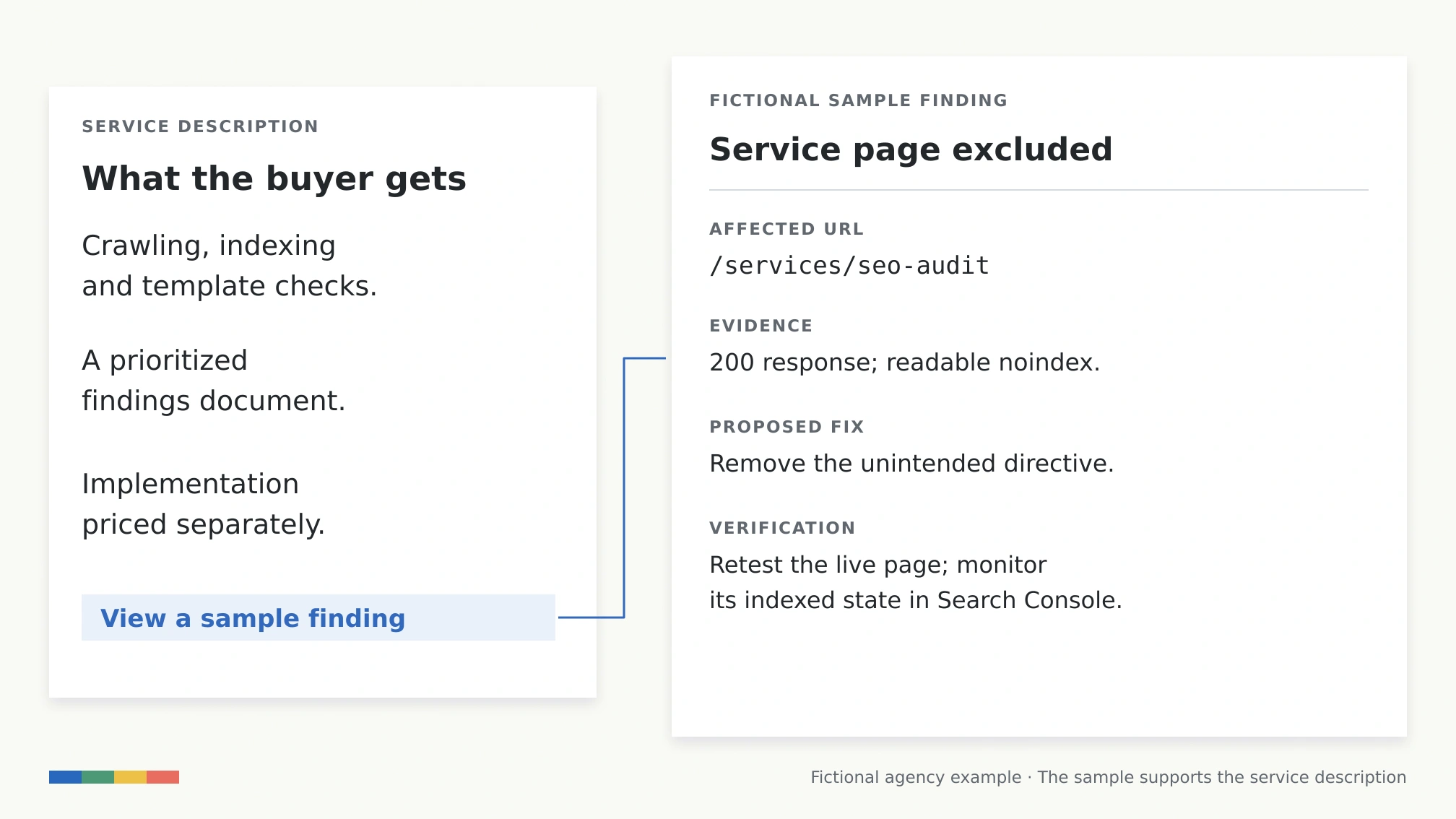
Consider a fictional agency page selling an SEO audit. “We provide comprehensive audits that unlock growth” gives a prospective customer little to assess. A more useful description explains that the audit checks crawling, indexing and page templates, then supplies a prioritized findings document. It also states whether implementation is included.
That is a clearer answer, but it is still a claim. A redacted sample finding would let the reader inspect the work: the affected URL, the observed problem, the supporting evidence, the proposed fix and the way the agency would verify it. The example does more than make the paragraph sound specific. It shows what the buyer would receive.
The same principle applies to editorial content. If you recommend software, show the task you performed and the limitation you encountered. If you publish a cost estimate, expose the assumptions so a reader can adapt it. If you report research, link the original study and explain what its sample can support. You do not need a large proprietary dataset to contribute something original; a carefully documented example can answer a question that general summaries leave open.
Put the answer near the question, then develop the explanation. Keep an important condition beside the claim it limits. A reader should not have to reach the final paragraph to discover that a supposedly free feature requires a paid plan. Google explicitly advises against rewriting pages into artificial chunks for AI; useful headings and coherent paragraphs are a better starting point than a fixed word-count formula.
There is research behind testing clearer, better-supported content, but the results need context. The original GEO study found that interventions including source citations, quotations and statistics could improve source visibility in its experiments. Its main setup generated answers from five already-retrieved sources, and its metrics measured representation within those answers. It did not establish that adding a statistic to a page produces a predictable increase in traffic or sales on today’s platforms.
My practical use of that evidence is to make an important answer easier to verify. Add the finding or example because it resolves uncertainty for the reader. Then measure whether the revised page earns more useful exposure.
3. Answer the next useful question and connect the pages
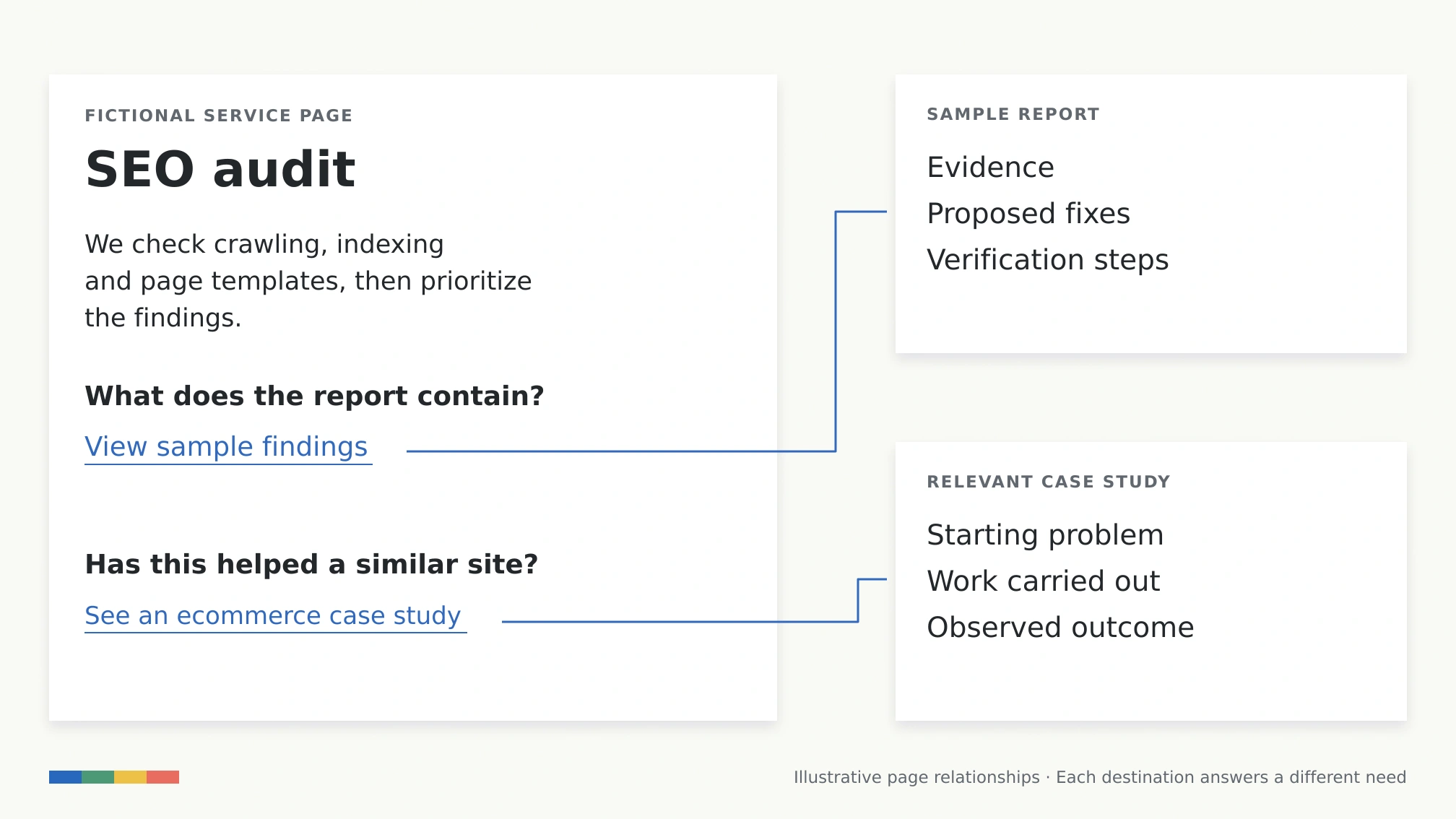
A good answer often creates a follow-up question. Someone considering the fictional agency’s audit may understand the scope but still need to see a sample report, learn who implements the changes or assess work on a similar site.
Cover those needs deliberately. Explain the scope on the service page, link to the actual sample beside the description of the deliverable, and place a relevant case study beside the claim it supports. The reader can then move from the promise to the evidence without searching the entire website.
This also fits how some AI search experiences retrieve information. Google says AI Overviews and AI Mode may use multiple related searches across subtopics and sources, a process often called query fan-out. A specific page that answers one of those subquestions has a clearer purpose than several pages repeating the same broad claim.
The difficult decision is whether a follow-up deserves its own page. Use the amount and purpose of the information to decide. A short answer about whether implementation is included belongs on the service page. A substantial sample report or a documented case study can stand on its own. Creating separate pages for “SEO audit deliverables,” “what an SEO audit includes” and “SEO audit contents” makes little sense if each would say the same thing.
Start with questions from enquiries, support conversations, site search and your existing search data. Group those that require the same answer. Then check whether the relevant page actually supplies it. SEW’s explanation of query fan-out goes deeper into the retrieval mechanism.
This is efficient when you already have useful material that readers cannot find. A descriptive link to the right example may solve the problem without another article. When information is genuinely missing, commission the page around that need rather than around a variation of a keyword.
4. Correct changed facts, then help search engines discover the update
An old publication date is a prompt to inspect a page. The reason to edit is that something material has changed.
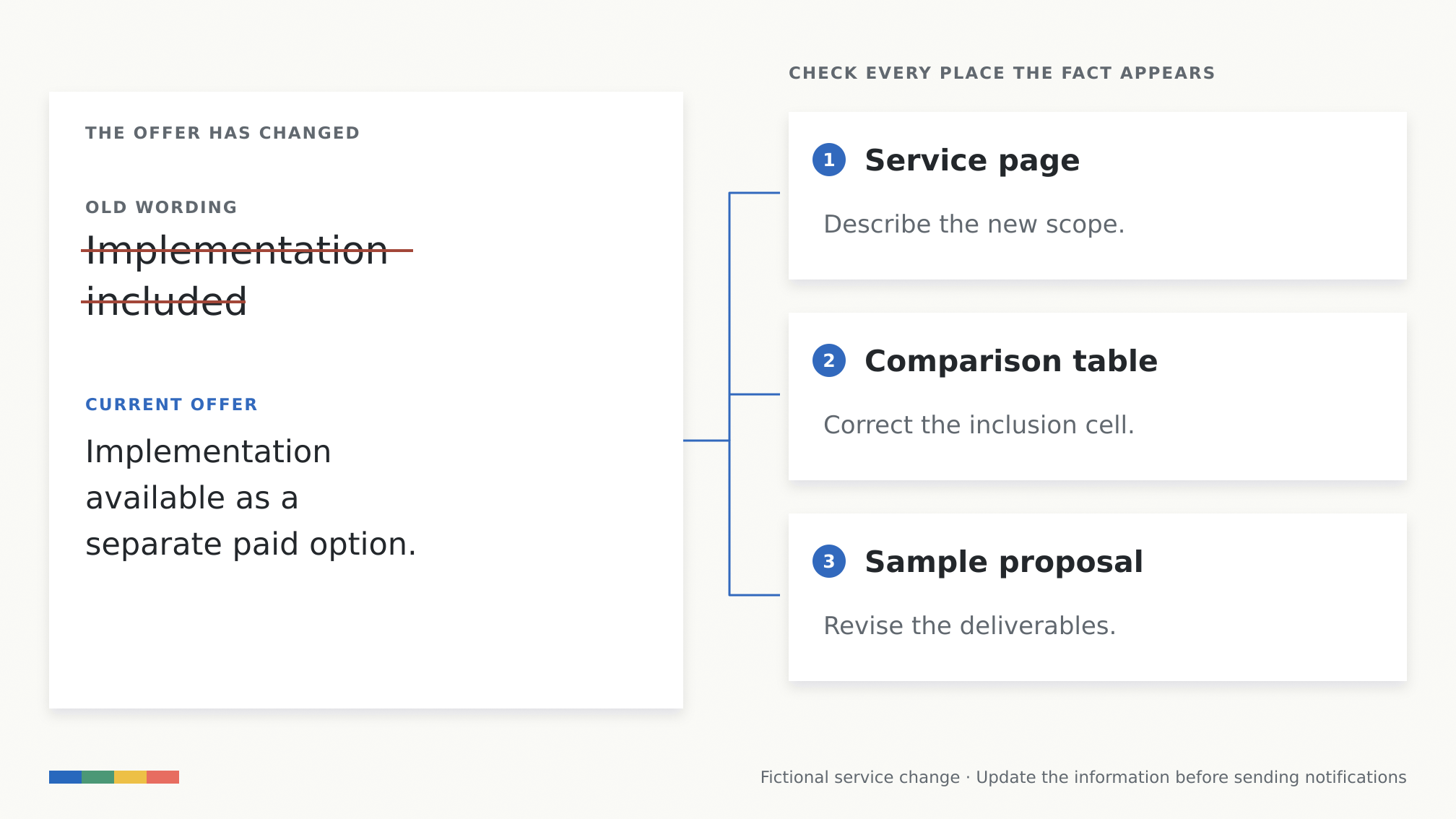
Return to the audit example. Suppose the agency begins offering implementation as a separately priced option. The service description, comparison table, sample proposal and sales FAQ may now disagree. Updating the opening paragraph alone would leave readers with conflicting answers on the same website.
Work outward from the changed fact. Find each place that repeats it, check the current offer with the person responsible, and revise the affected copy, tables and downloadable material. If the change alters a recommendation, reconsider the conclusion too. A software review can have a correct price and still recommend the wrong plan after a feature moves between tiers.
The same applies to screenshots. Replace one when it teaches an interface that has materially changed. A new article date beside an obsolete screenshot can make the instructions harder to follow because the reader reasonably expects the two to agree.
After a substantive revision, show an honest update date and keep the page’s date information consistent. Google’s publication-date guidance explains how visible dates and structured data should relate. Merely changing a date does not repair an outdated explanation.
For participating search engines, IndexNow can notify them that a URL was added, changed or removed. Check whether your CMS or existing integration already handles submissions before adding another service. A notification tells participating engines there is something to revisit; each still decides whether and when to crawl and index it. An accepted submission does not prove the new version has appeared in an AI answer.
Prioritize changes that affect decisions: cost, availability, eligibility, implementation steps and the evidence behind a recommendation. This gives maintenance a useful order instead of treating every old page as equally urgent.
5. Keep business profiles and product records consistent
For a shop or local business, some of the highest-value work happens outside article copy. A customer needs the correct product, price, opening hours or service area before a persuasive explanation can help.
Start with the source of truth for the business. For a local firm, compare its website and Google Business Profile against its actual hours, address, contact details and services. Google’s local-ranking guidance emphasizes complete, accurate business information. That is a documented local-search practice; it should not be presented as a guaranteed uplift across every AI assistant.
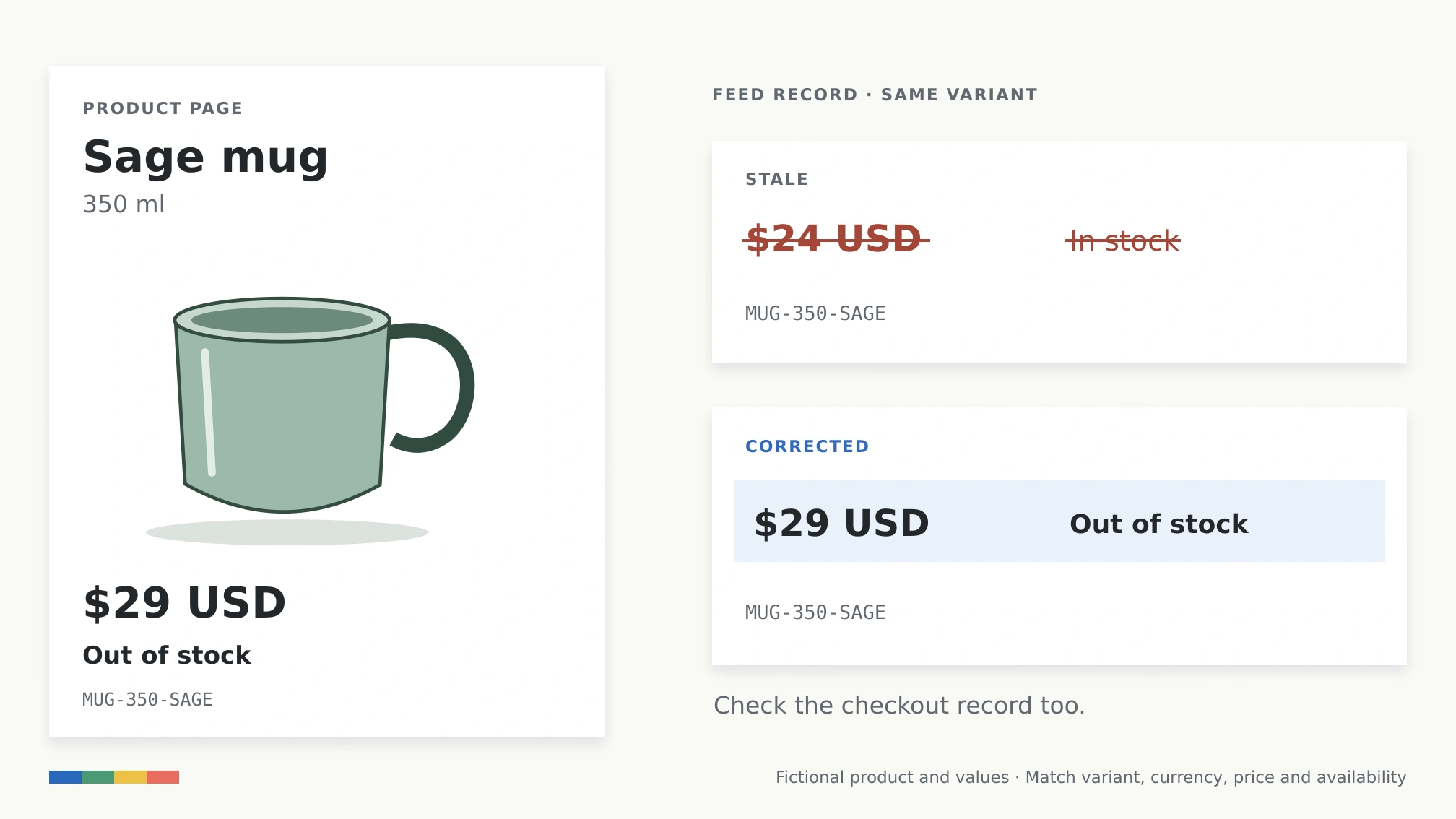
For a shop, follow one product variant through its records. Suppose a fictional sage ceramic mug is listed at $29 and is out of stock, but the merchant feed still says $24 and available. Check the variant identifier, currency, landing page and checkout as well as the feed. Otherwise, you may “fix” one record by copying information from a different size or color.
Google supports product information through page markup and Merchant Center feeds. Its documentation says using both can help it understand and verify the data and maximize eligibility for supported shopping experiences. Start with the merchant tools or commerce integration you already use; a new AI optimization subscription is not a prerequisite for correcting your catalog.
OpenAI also accepts product feeds for ChatGPT shopping. As checked on September 21, 2026, its merchant page says Shopify and Etsy catalogs are already integrated, other merchants can apply to share a feed, and shopping is currently live in the U.S. Check the current route for your platform and market before commissioning an integration.
A feed gives a search service clearer, more current product information to work with. It does not establish that your product is the best match for a particular shopper. The immediate gain is fewer contradictions about what you sell and whether the customer can buy it.
6. Earn relevant independent coverage and genuine reviews
Your website can explain what you do. An independent source can examine it, compare it or describe an experience you did not write yourself. Those are different contributions, and each can help a prospective customer assess the business.
For the fictional mug seller, useful external material might include a reviewer’s handling test, a customer’s account of daily use or a trade publication’s reporting on production. Repeating the seller’s press release across several websites would add much less information.
This technique deserves serious consideration. Ahrefs‘ study of 75,000 brands found strong associations between external visibility signals, including web and YouTube mentions, and brand appearances in AI answers. The sample favored established brands, and the analysis was observational. It cannot tell a small business how many extra AI recommendations one new mention will cause, or whether that mention is more efficient than improving a weak service page.
That is why I would usually resolve obvious problems on pages you control first. If those pages are already strong and your category’s answers regularly draw on independent reviews or specialist publications, external coverage may deserve a larger share of the budget.
Inspect the sources cited for a small set of relevant questions. Look for the editorial reason a source is useful: firsthand testing, a detailed comparison, specialist reporting or accumulated customer experience. This is research into the information readers encounter, not a list of websites on which to plant identical recommendations.
Then give an appropriate source something it can evaluate: access to a product, documented research, a knowledgeable interviewee or a verifiable customer story with permission. For reviews, invite genuine customers to describe their experience without scripting praise. Disclose commercial relationships and let independent reviewers reach their own conclusions.
This work can take longer than changing your own pages. It is worthwhile when it produces credible information and reaches the people you want to serve, even before you can connect it to an AI citation.
7. Add structured data for supported search features
Structured data expresses information about a page in a machine-readable format. Its clearest practical use is enabling the search features that explicitly support the relevant markup.
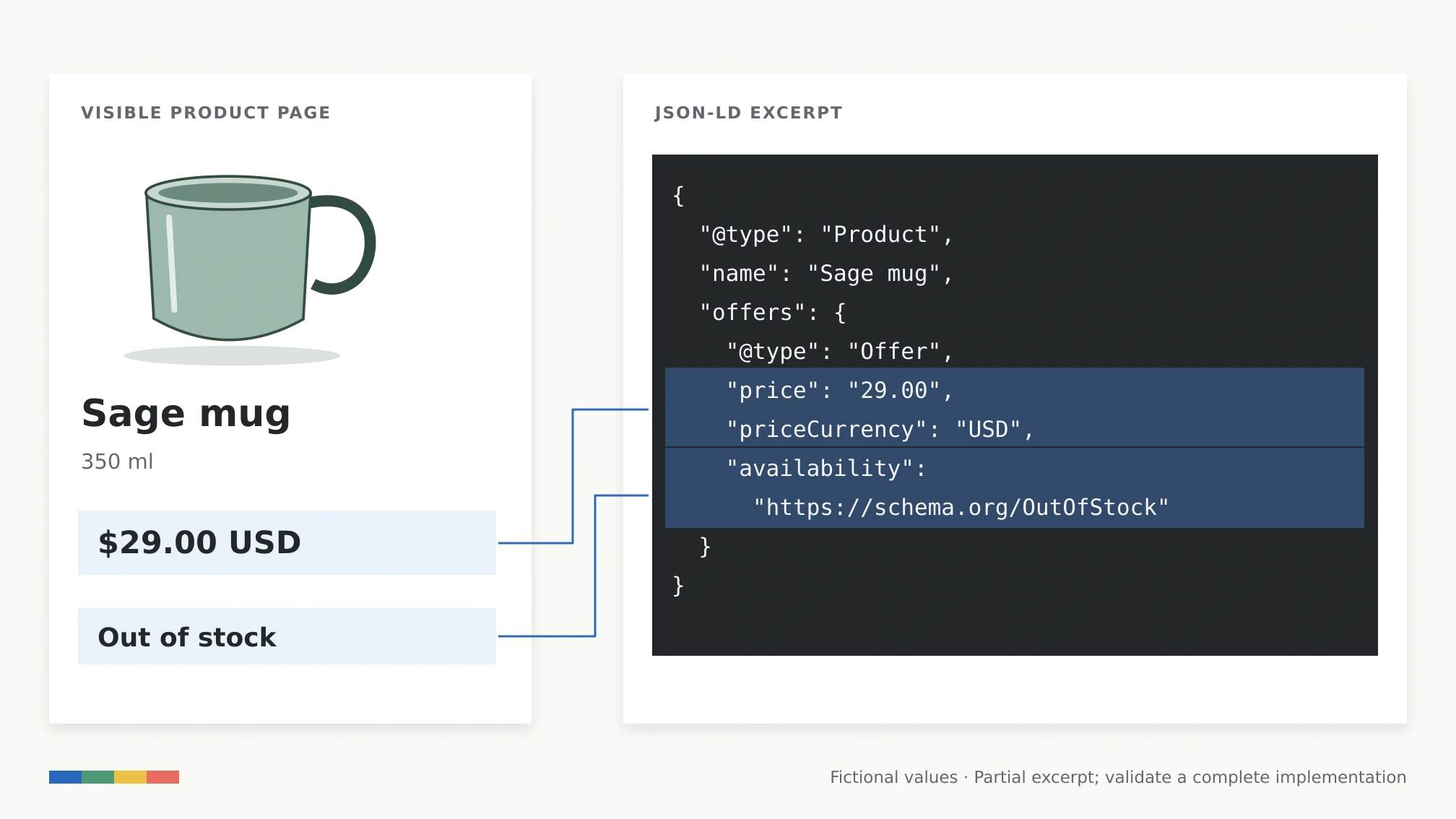
For the mug seller, product markup can describe the product and offer, including price, currency and availability. The values should agree with the visible page and refer to the same variant. If the mug is out of stock, leaving InStock in a template gives the system conflicting information even though the JSON itself is valid.
Use Google’s Product documentation to choose the appropriate implementation, then check it with the Rich Results Test. Fix required-field errors and inspect the rendered page as well as the code. Passing validation confirms a technical condition; it does not guarantee a rich result or an AI recommendation.
The evidence does not justify selling schema as a universal citation booster. In a 2026 Ahrefs analysis, 1,885 pages that added JSON-LD were compared with roughly 4,000 matched controls. The study found no statistically significant citation increase in AI Mode or ChatGPT during the post-change period. It was not a randomized test of every schema type, so it does not settle every use case. It does weaken the case for a large schema project whose only promised benefit is more AI citations.
I would fix incorrect markup and implement useful supported features. Once those are covered, I would want a specific reason before spending more time on machine-readable descriptions of a page whose actual answer remains weak.
How to tell whether the work is helping
Choose the pages and the outcome before making changes. For a service business, the useful outcome may be a qualified enquiry. For a shop, it may be a sale. For a publisher, it could be an engaged visit or subscription. Record the starting position, revision date and hours spent so you can compare the value of the work with its cost.
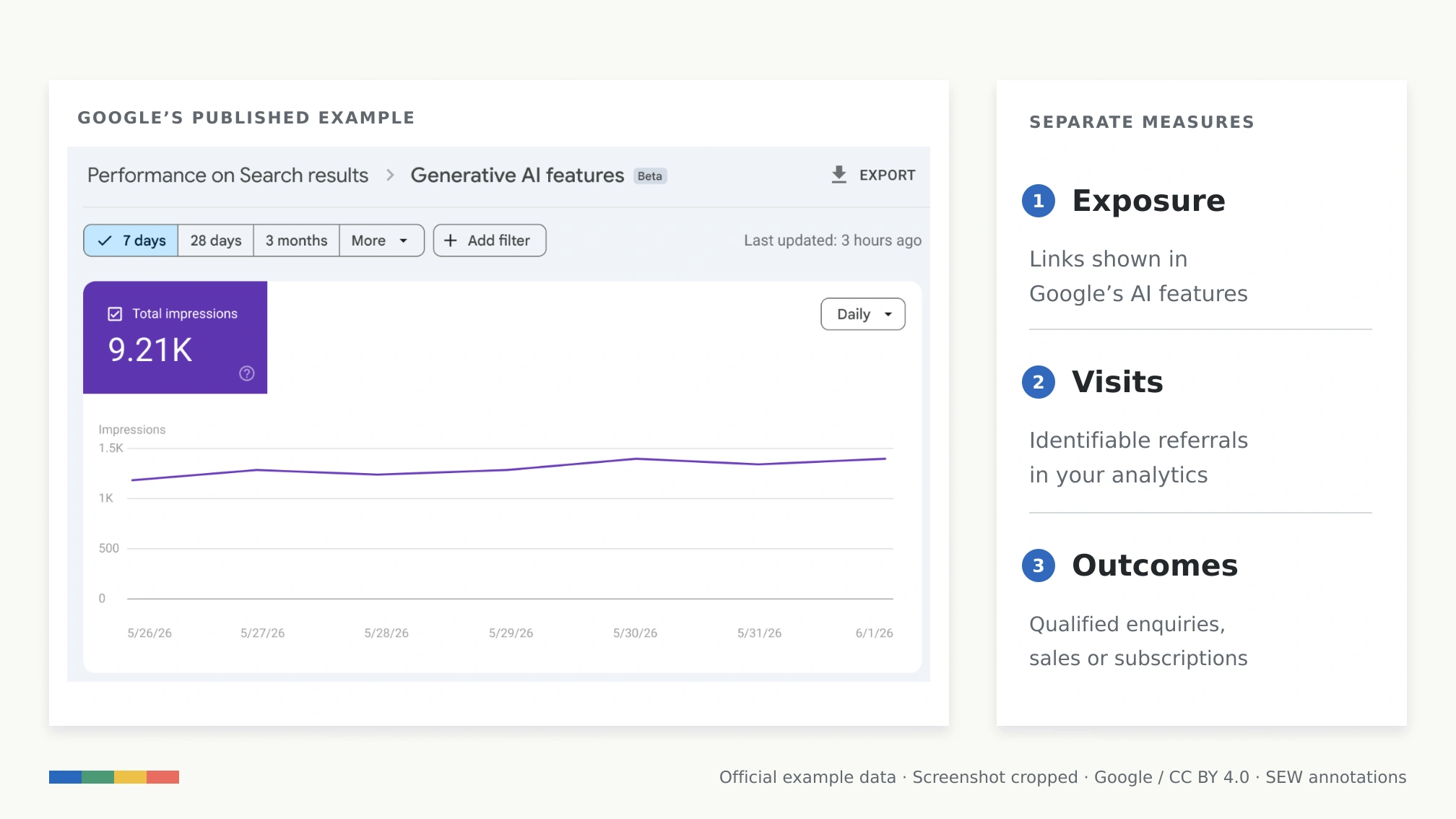
Keep exposure, visits and outcomes separate. A source can be cited without the brand being recommended. In Ahrefs‘ self-promotional content experiment, 43% of answers that cited conference-promoting pages did not mention the promoted conference. That percentage concerns that subset of answers, not all AI responses or all businesses.
Use each platform’s data within its stated scope:
Source
What it helps you observe
Limit to keep in mind
Google Search Console’s Generative AI performance report
Organic link impressions in AI Overviews and AI Mode, with page and other breakdowns
An impression is not a visit, brand endorsement or conversion.
Bing Webmaster Tools‘ AI Performance report
Citations and cited URLs across supported Microsoft Copilot, Bing AI and selected partner experiences
It is not a complete tracker for Google, ChatGPT or Perplexity. Grounding queries are a sample.
Your web analytics and business records
Identifiable referral visits and subsequent enquiries, purchases or subscriptions
Attribution is incomplete; a citation without a click cannot appear as a referral visit.
A repeatable set of searches or prompts
Which sources and brands appear for those questions at those times
A selected prompt set does not represent all demand or every user’s answer.
Google says its dedicated report rolled out worldwide on August 31, 2026; insufficient impressions can still explain why a property does not show it. Use the report for its documented impression data. Do not relabel ordinary Web search clicks as separately measured AI clicks.
Microsoft’s AI Performance documentation is equally specific about coverage. It explains citation activity across its supported experiences, not a business’s total visibility across the AI market. SEW’s discussion of misleading AI visibility scores explains why scope matters when interpreting a single number.
For a practical test, improve a small group of important pages and keep a comparable group unchanged where possible. Compare equivalent periods, note other material changes and repeat manual checks with the platform, date, market and wording recorded. A change in performance is a signal to investigate; the comparison helps you judge whether seasonality or wider search changes could explain it.
Start the next round with what that evidence reveals. If pages remain excluded, fix eligibility. If they are accessible but unhelpful, improve the answer. If they attract visitors who discover the wrong price or service scope, correct the information. The most efficient technique is the one that resolves the current obstacle for a page and a customer who matter.
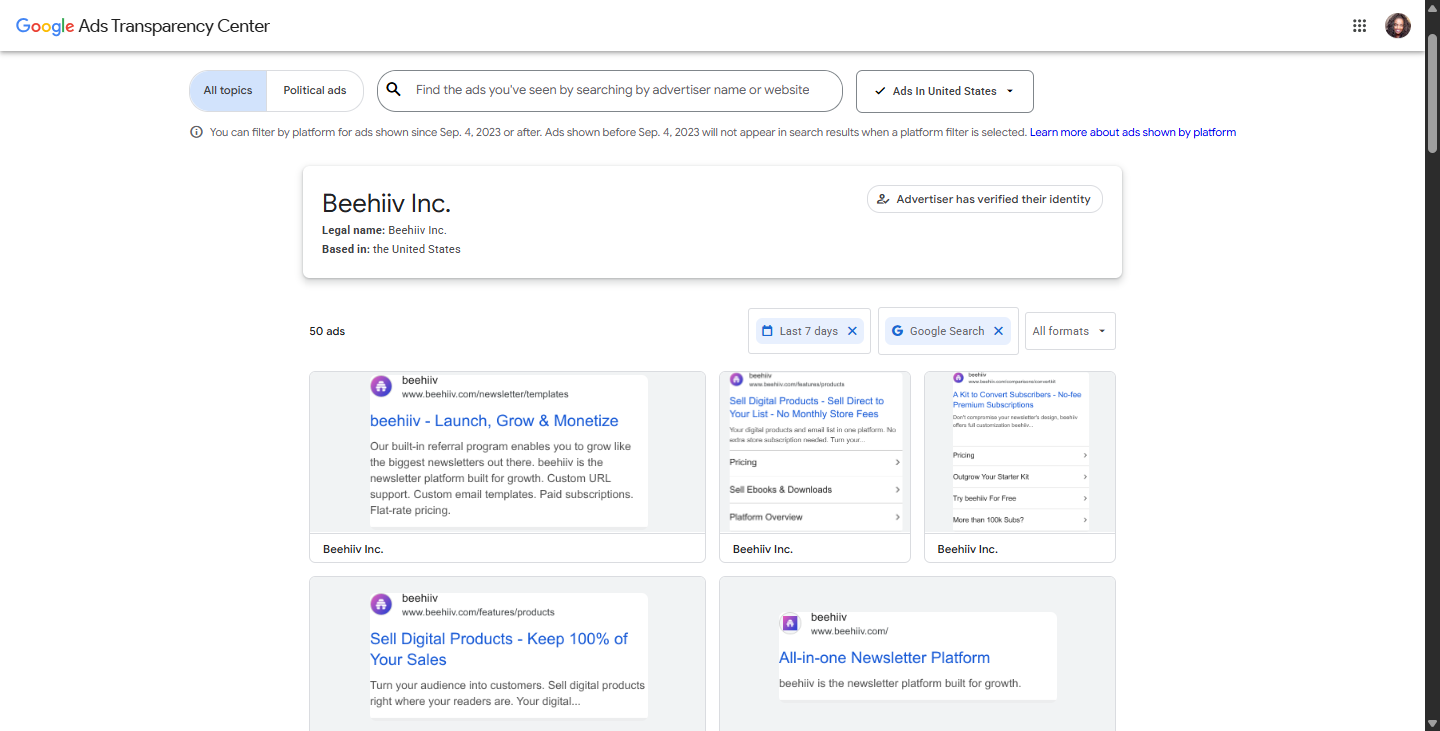
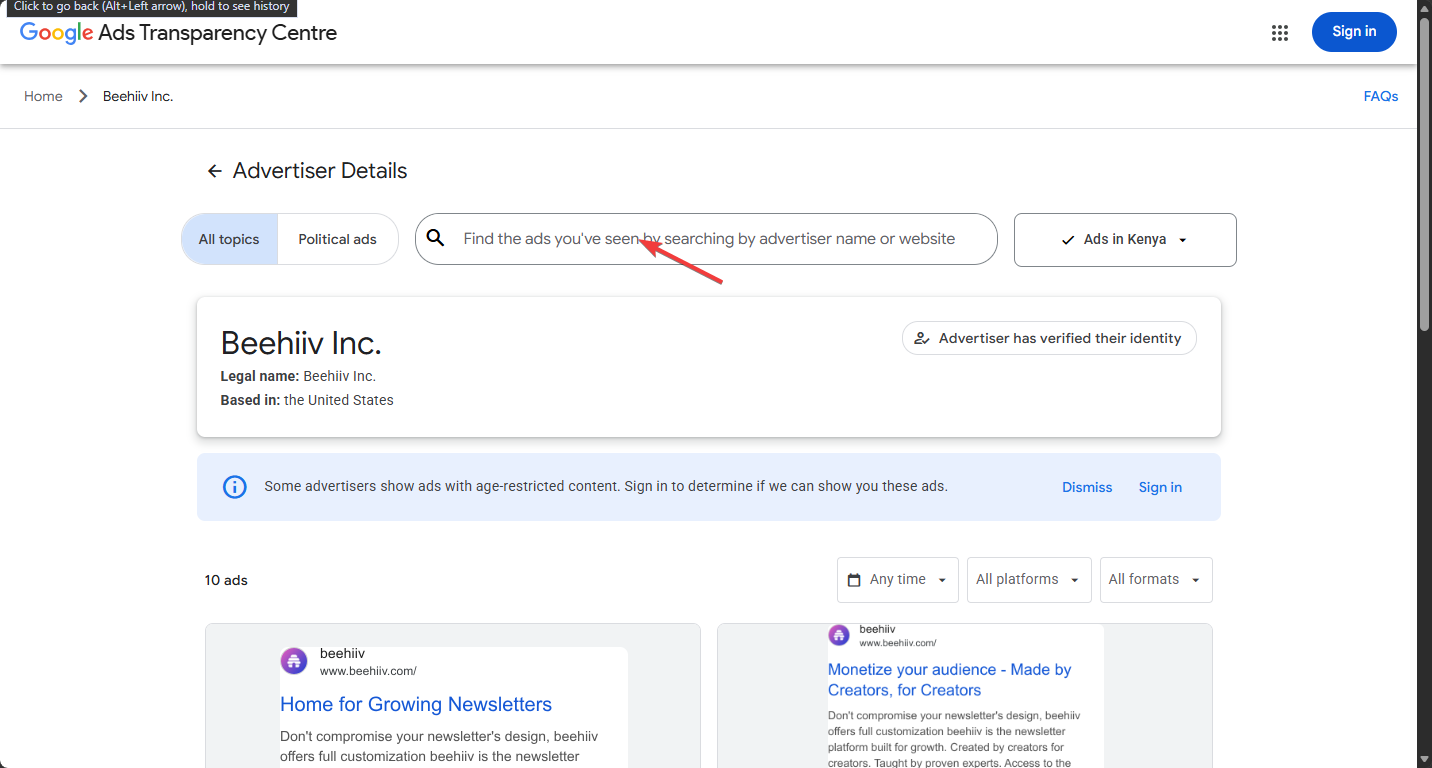
Google’s Ads Transparency Center shows you what competitors are running on Search, YouTube, Maps, Google Play and Google Shopping. You won’t see what the company spent, how the ads performed or who exactly was targeted. But you can see something competitors normally make surprisingly difficult to study: the ads themselves. And you don’t need a Google Ads account to see what your competitors are doing.
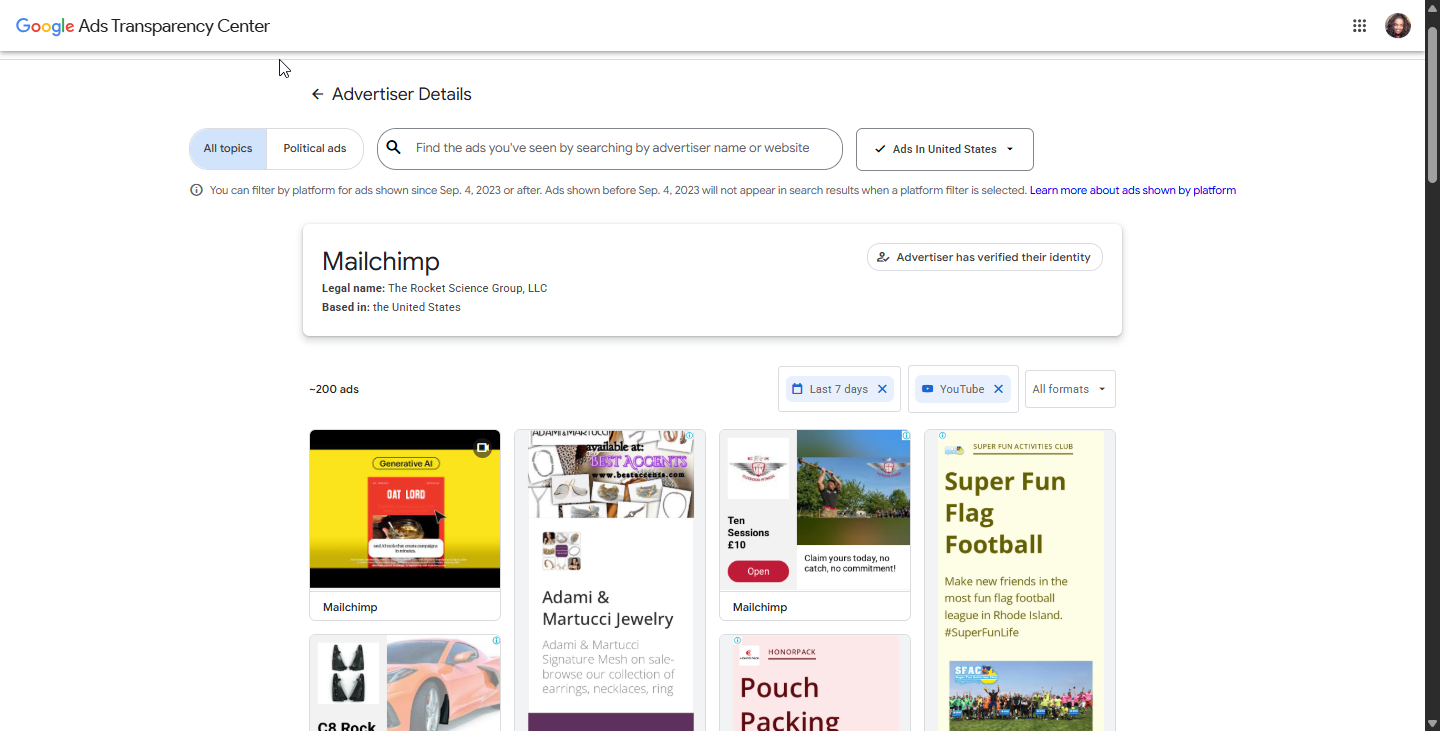
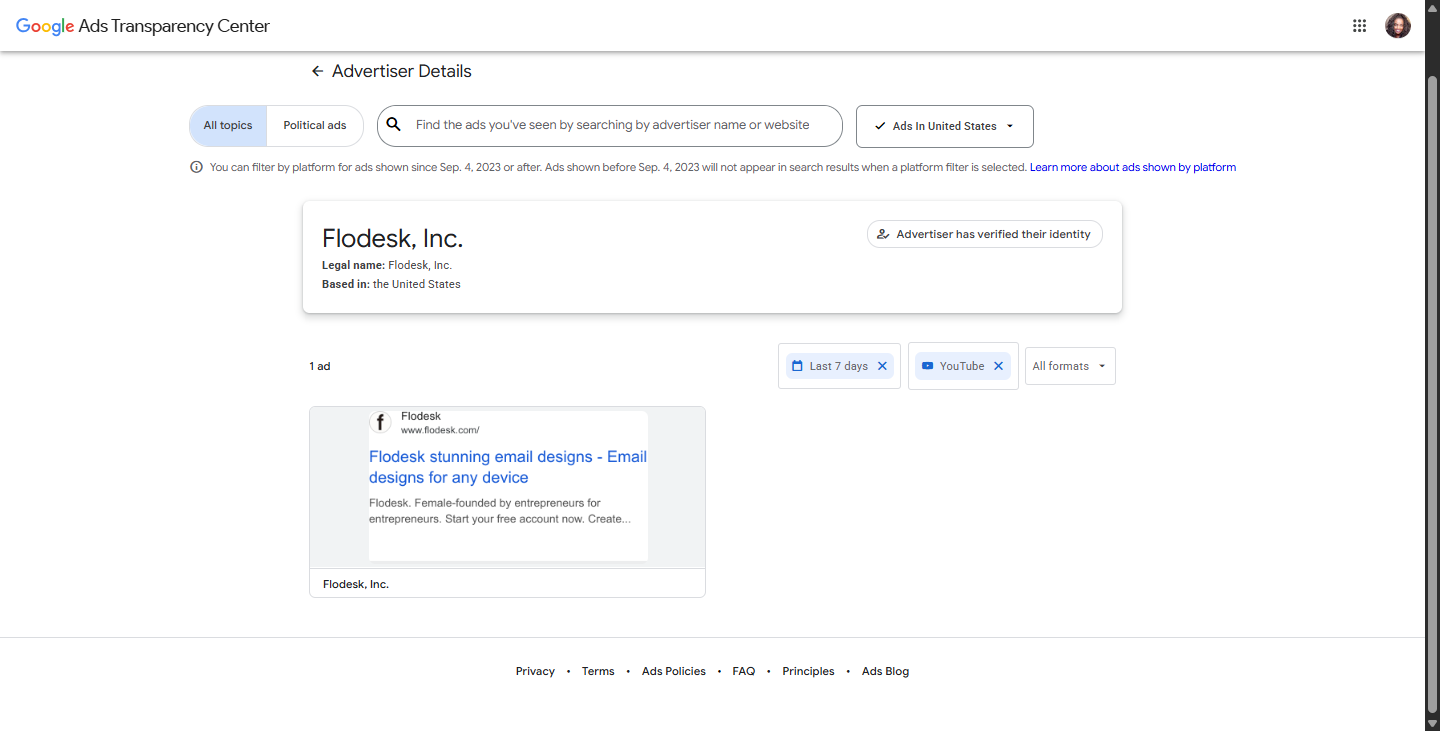
I tested it with three companies competing for roughly the same customer: Beehiiv, Mailchimp and Flodesk. On September 17, 2026, I searched for all three advertisers in the United States and compared the ads visible on Google Search and YouTube over the previous seven days.
Then I looked at four things: how many ads each company was running, what those ads said, what they offered and what they asked potential customers to do.
Here’s how to do the same with your competitors, and what you can actually learn from it.
How to see a competitor’s Google Ads without an account
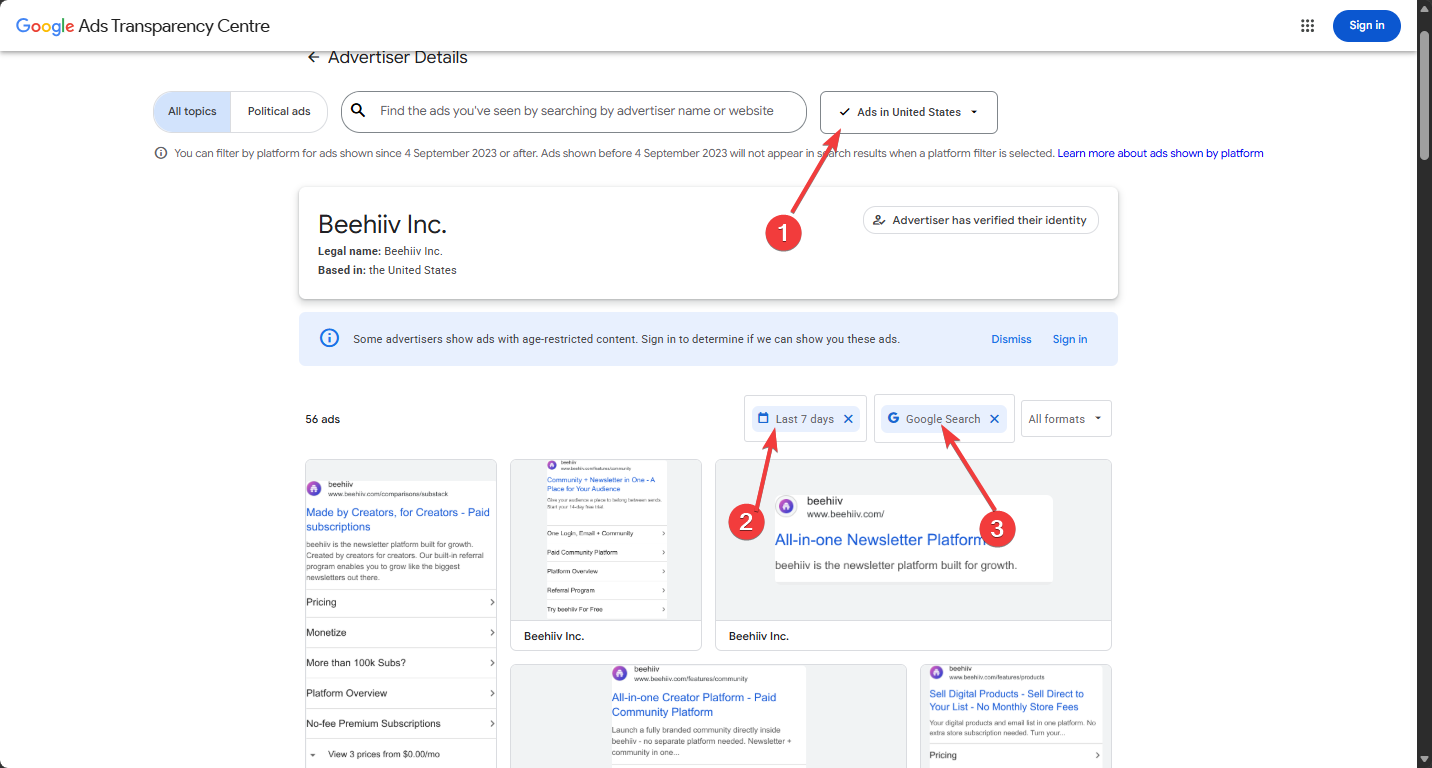
Select the correct verified advertiser. Similar names are common, so check that the advertiser matches the company you mean.
Set the country, date range and platform filters. I used the United States, the last seven days, and Google Search and YouTube in turn.
Review the visible ads and note recurring messaging, offers, formats and calls to action.
What can you learn from a competitor’s ads?
I focused on Search and YouTube because those were the platforms where all three advertisers had visible ads during the same seven-day window. For each one, I compared four things:
Ad volume: how active each advertiser was
Messaging: which themes the ads lean on
Offer: what the ads promise you’ll get
CTA: what the ads ask you to do next
1. Ad volume
Advertiser
Google Search
YouTube
Beehiiv
50
83
Mailchimp
~200
~200
Flodesk
54
1
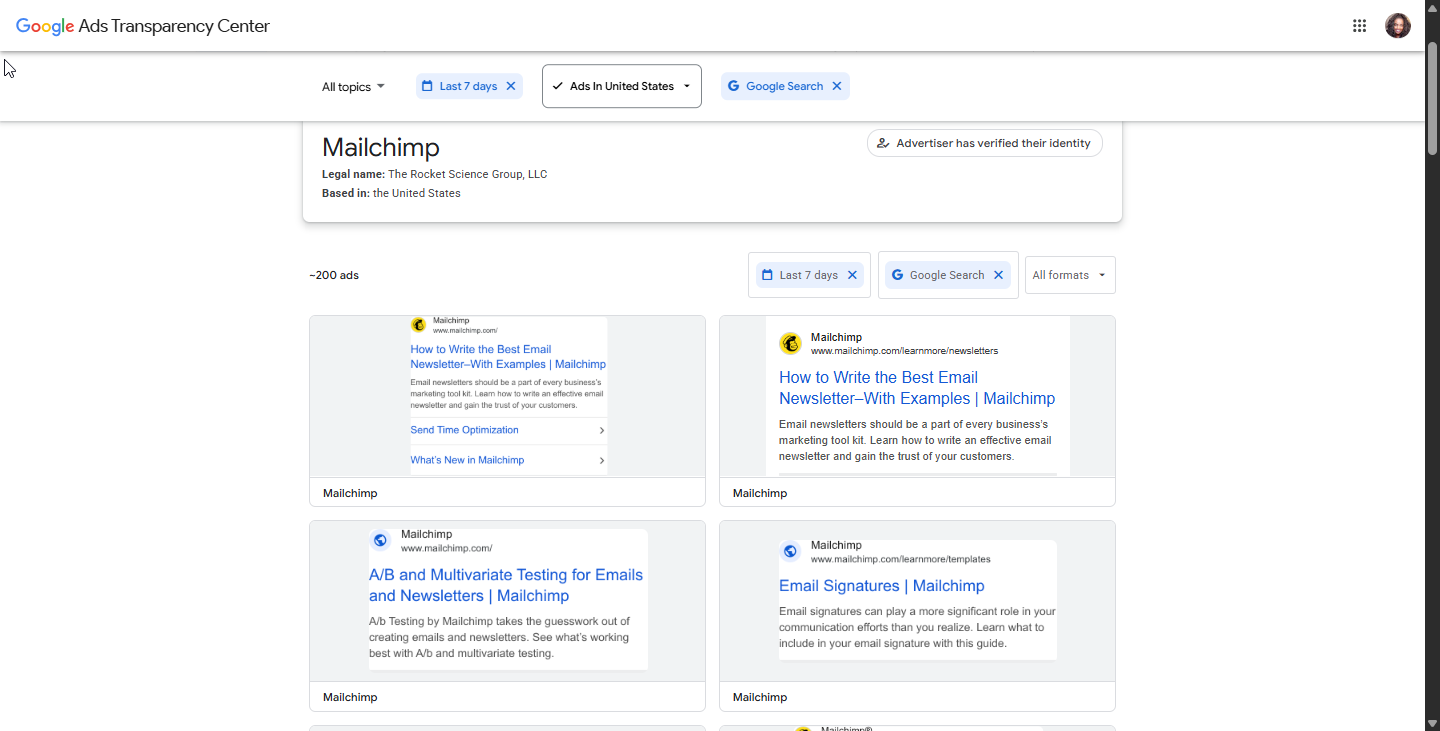
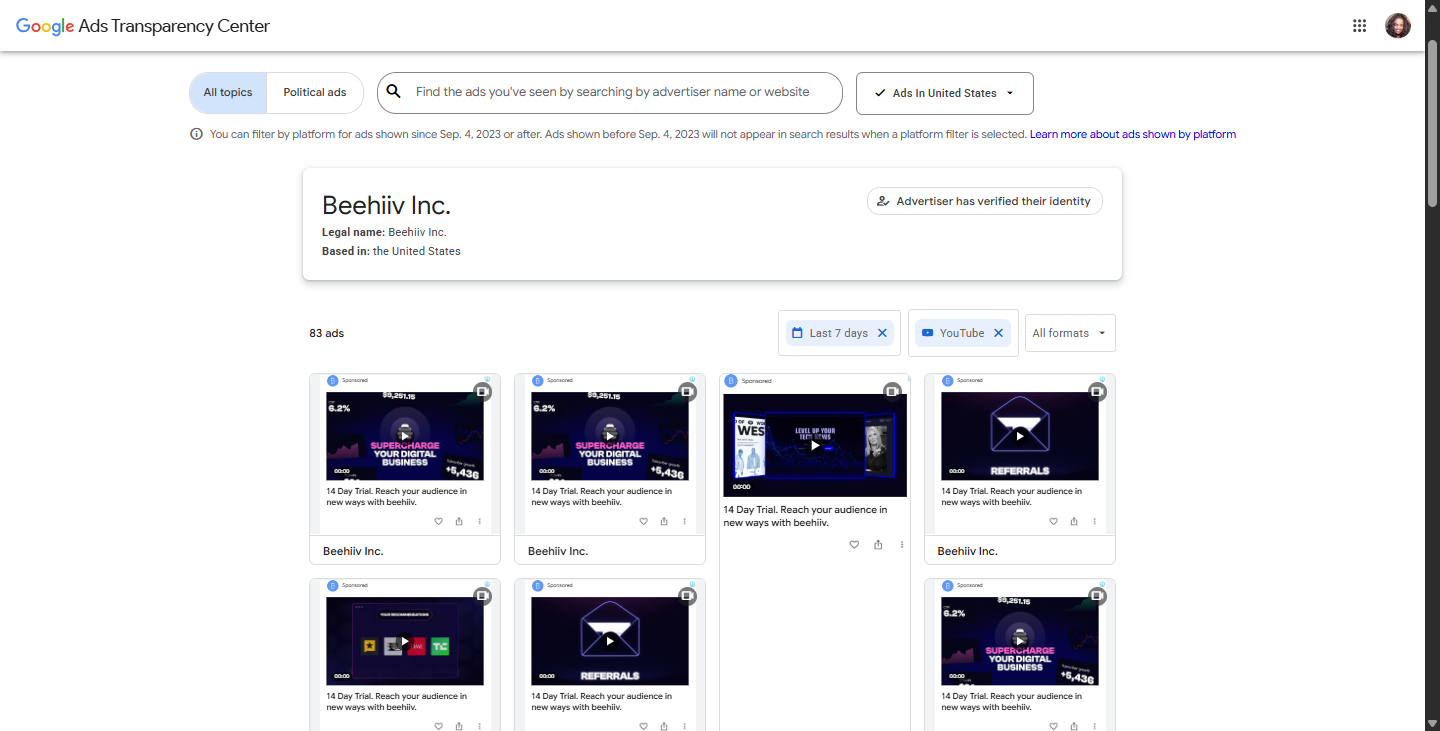
A disclaimer before we interpret the results, this is a rough activity signal, not a measure of spend or performance. Mailchimp showed the highest counts on both platforms. On Search, Beehiiv (50) and Flodesk (54) were close together; on YouTube, Beehiiv’s 83 was well behind Mailchimp’s ~200, and Flodesk had a single ad.
One caveat on Mailchimp’s YouTube number: the ads I reviewed on a single results page under its advertiser account were for third-party content, not Mailchimp’s own product. That makes its YouTube volume hard to read, so I left those ads out of the messaging comparison below. The lesson is worth remembering when you run this yourself: check what an advertiser is actually promoting before you count its ads.
This exercise shows you which platforms a competitor is visible on and which it isn’t, not how much it’s spending or how well it’s doing.
2. Messaging
Theme
Beehiiv
Mailchimp
Flodesk
Growth
Search, YouTube
–
–
Revenue generation
Search, YouTube
–
–
Features
–
Search
–
Design
–
–
Search, YouTube
Ease of use
–
–
Search, YouTube
Education
–
Search
–
Testing
–
Search
–
The clearest contrast is Beehiiv versus Flodesk. Beehiiv’s Search headlines sell a business outcome: Launch, Grow & Monetize and Keep 100% of Your Sales. Flodesk sells the experience of making emails Beautifully designed emails and Create emails in 5 minutes. Mailchimp’s Search ads sit somewhere else again, leading with education and product capabilities, such as How to write the best email newsletters-with examples, A/B and Multivariate Testing for Emails and Newsletters, and Email Signatures.
Beehiiv’s YouTube creative message stays on the growth theme, with thumbnail text saying Supercharge your digital business and Referrals. Flodesk’s single YouTube ad reused the visuals from its Search campaign, so its message stays consistent across both platforms. On YouTube, Mailchimp had a number of ads but of the ads reviewed on a single results page, none were from Mailchimp but from third-party content.
From these messages, you can learn which value claim a competitor leads with and emphasizes on.
3. Offer and value proposition
Beehiiv: This translates to audience growth and revenue generation. You can launch, grow and sell digital products, and keep 100% of your sales. For Youtube ads, they reiterate the same message on revenue generation and will give you a 14-day free trial to test and see whether there’s value in all they are offering.
Flodesk: Offers you free designs and ease of use. You get attractive emails without designing templates from scratch.
Mailchimp: Offers plenty of features, education and a free-plan entry point. Its ads offer guides, examples, templates and a free plan you can upgrade from.
Here, you can learn the reason a competitor gives customers to choose them over you.
4. CTA
Each brand pushes a different conversion path. Beehiiv’s YouTube ads repeat a 14-day trial, a low-commitment way to test the product. Mailchimp’s Search ads ask you to pick a free or paid plan. In the Flodesk ads I reviewed, there was no explicit CTA pointing to a trial. From these CTAs, you can learn how a competitor moves someone from ad to sign-up, and how much commitment they are asksing for up front.
What Google won’t show you
The Ads Transparency Center shows the ads, not the results behind them. It doesn’t show spend, conversions, profitability, exact targeting or reliable performance data. So none of the numbers above tell you which campaigns worked. Ad count in particular is not a measure of the budget in place, reach, aggressiveness or success.
What to take from this exercise
All three companies are chasing the same pool of customers, yet each leads with a different value proposition. Beehiiv’s ads talked almost exclusively about growth and monetization, positioning itself as a business tool rather than just an email sender. On YouTube, the ads spoke directly to a prospective customer. Flodesk stayed narrowly focused on design and ease of use, with barely any YouTube presence at all. Mailchimp, meanwhile, split its Search messaging into education and features but its YouTube volume was dominated by other product ads.
For a marketer positioning a competing product, the message themes reveal a map of open territory as much as it is competitive intel. You can enter the market and differentiate your product/services based on value instead of fighting over the same marketing messages. To apply it to your own competitors, you can run the same search, note the volume, messaging themes, offers and CTAs, and look for what nobody is saying.