Kategorie-Archiv: SEO

Google tests URL breadcrumbs for sitelinks in sponsored ads

URL breadcrumbs for sitelinks

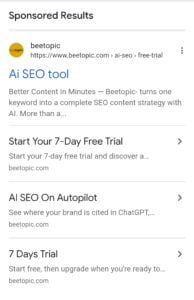
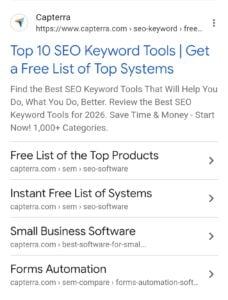
Google is now testing URL breadcrumbs shown alongside sitelinks within sponsored ads on mobile. I spotted this today clicking a sitelink redirects to its specific page, with the URL.

We’ve covered several recent changes to Google’s sponsored ad, including AI-generated review summaries and larger sitelink designs, but this breadcrumb addition is something new and different.

Here is a screenshot of how it looks.

URL breadcrumbs for sitelinks

I’m not entirely sure how useful showing URL breadcrumbs for sitelinks will be in practice, but from a design perspective, this update looks like a clean addition.

The post Google tests URL breadcrumbs for sitelinks in sponsored ads appeared first on Search Engine Watch.

Source:: searchenginewatch.com

Google AI Mode now shows sponsored ads and organic products together

Ai mode ads

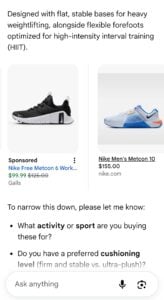
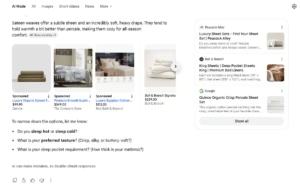
Google AI Mode is now showing sponsored ads alongside organic products together on mobile as well.

Brodie Clark previously shared this happening within AI Mode on desktop, and today he spotted it appearing on mobile too.

Here is a screenshot of how it looks.

google ai mode ads in line carousel product mixing ads

Google continues running more tests within AI Mode, and these changes suggest Google is increasingly focused on integrating more ads directly into the AI Mode experience.

The post Google AI Mode now shows sponsored ads and organic products together appeared first on Search Engine Watch.

Source:: searchenginewatch.com

Bing tests hiding sitelink descriptions until hovered

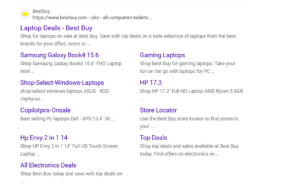
Bing is testing a change to how sitelink descriptions are displayed. Previously, Bing would show the description for each sitelink by default. Now, these descriptions appear to be hidden unless a user hovers over the sitelink.

Here is a screenshot and video of this.

Here is what it looked like without hovering previously, Bing showed the description for every sitelink upfront.

Have you seen this change to sitelink descriptions on Bing?

The post Bing tests hiding sitelink descriptions until hovered appeared first on Search Engine Watch.

Source:: searchenginewatch.com

Google tests Chrome desktop Search with AI Mode from the Windows taskbar

Google is preparing a new way to search from the Windows desktop without first opening a Chrome window.

The latest Chrome Canary onboarding for the feature shows how users can access it. The setup screen is titled “Search with Chrome from anywhere” and tells users to “Open from the Windows task bar.” Chrome says the experience can stay available while the browser is minimized or running in the background.

Google Lens is a central part of the experience. Users can share what’s visible on their screen, including content in another app or an open file, and use it as the starting point for a Google query.

The desktop Search interface also includes an AI Mode button, allowing users to submit conversational prompts without opening a regular Chrome tab first.

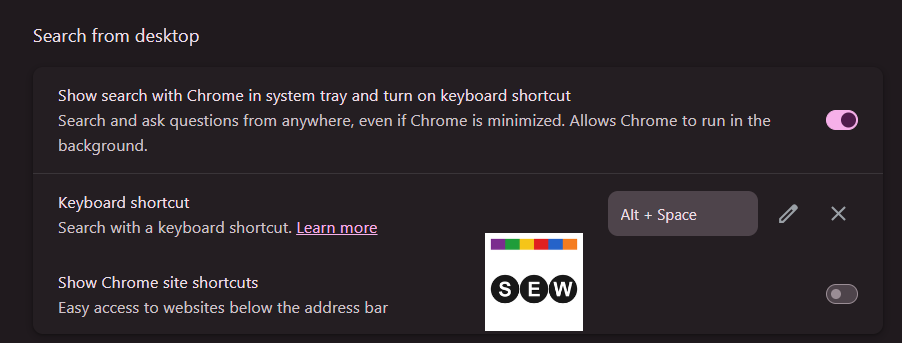
Chrome provides a configurable keyboard shortcut for quicker access. The current Settings page lists Alt + Space and lets users edit or remove the combination if it conflicts with another app.

Chrome’s related Settings screen calls the feature “Search from desktop.” It includes a toggle to show Search with Chrome in the system tray and enable the keyboard shortcut.

Image Credit: Venkat | Search Engine Watch

Earlier Canary builds used “Ask Google from anywhere” wording and placed more emphasis on the keyboard shortcut. The newer onboarding puts more attention on taskbar access, screen-based queries, Google Lens, and AI Mode.

Google is testing the feature in Chrome Canary under the Omnibox Loom name, as part of its Project Omnibox Everywhere work. You may need to enable the relevant Chrome flags to try it, and the feature could change before Google makes it available more widely.

The post Google tests Chrome desktop Search with AI Mode from the Windows taskbar appeared first on Search Engine Watch.

Source:: searchenginewatch.com

OpenAI tests sponsored agents in ChatGPT

Reimagining advertising with AI

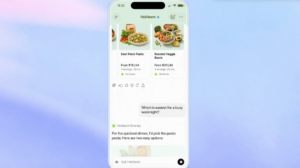
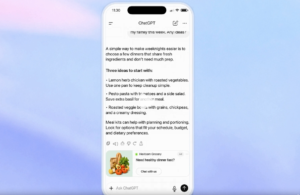
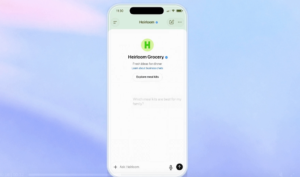
OpenAI is testing sponsored agents within ChatGPT. When a user clicks on an ad in ChatGPT, they can start a conversation with a business-sponsored AI agent, allowing them to ask follow-up questions about products and services, and visit the business’s website directly. This is clearly labeled as a limited test currently running in the U.S.

OpenAI announced this via its blog.

Here is a screenshot of the conversation.
Reimagining advertising with AI

Reimagining advertising with AI

OpenAI also shared several other updates in the blog:

AI campaign creation for ChatGPT ads

Advertisers can now use natural-language prompts in ChatGPT to create campaigns, update campaigns, analyze performance, and get recommendations. This is being done through the Ads Manager plugin.

AI creative tools in ad management

Based on the landing page and campaign objective, advertisers can get suggested ad copy and imagery, and review or edit these suggestions before publishing.

AI-powered text customization

Advertisers can opt in to let AI adapt existing headlines and descriptions based on the conversation context, and automatically translate ad copy into the user’s preferred language.

HubSpot and Shopify integrations

HubSpot is now the first CRM partner for ChatGPT ads. Businesses can create ChatGPT ad campaigns, track performance, and follow up on leads directly from within HubSpot.

Shopify is the first ecommerce partner. U.S. Shopify merchants can now create and manage campaigns using the ChatGPT Ads app. This app will become available internationally starting September 23, in markets where ChatGPT Ads are supported.

The post OpenAI tests sponsored agents in ChatGPT appeared first on Search Engine Watch.

Source:: searchenginewatch.com