Archiv für den Monat: Oktober 2026

Google shopping ads missing product images on mobile

Google Shopping Ads Missing Product Images on Mobile

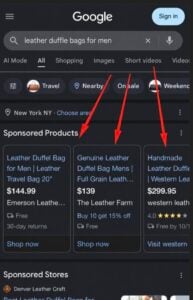
Google Ads appears to be showing product titles without accompanying images. This was spotted by Arpan Banerjee on LinkedIn, who wrote: “Google Ads is just showing product titles and not images.”

I tried to replicate this myself several times but couldn’t. This could be a test, though it’s also possible this is simply a bug.

Here is a screenshot.

Personally, I’m not a fan of this. Shopping ads without images tend to look empty and less engaging, and if this is intentional, it seems unlikely to roll out widely.

The post Google shopping ads missing product images on mobile appeared first on Search Engine Watch.

Source:: searchenginewatch.com
Google updates guidance on publishing AI-generated content

google ai doc

Google has updated its guidance on using generative AI content on websites. Google now advises users to check every piece of AI-generated content before publishing it, to ensure accuracy and trustworthiness.

We found this via SER.

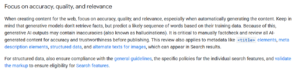
Google wrote: “When creating content for the web, focus on accuracy, quality, and relevance, especially when automatically generating the content. Keep in mind that generative models don’t retrieve facts but predict a likely sequence of words based on their training data. Because of this, generative AI outputs may contain inaccuracies (also known as hallucinations). It is critical to manually fact-check and review all AI-generated content for accuracy and trustworthiness before publishing.”

Why did Google update this documentation?

Google stated that it updated the help documentation to keep it in sync with presentations used at its developer events. Google previously updated this document back in October 2025.

The post Google updates guidance on publishing AI-generated content appeared first on Search Engine Watch.

Source:: searchenginewatch.com
Google asks users to take practice quizzes in AI Mode

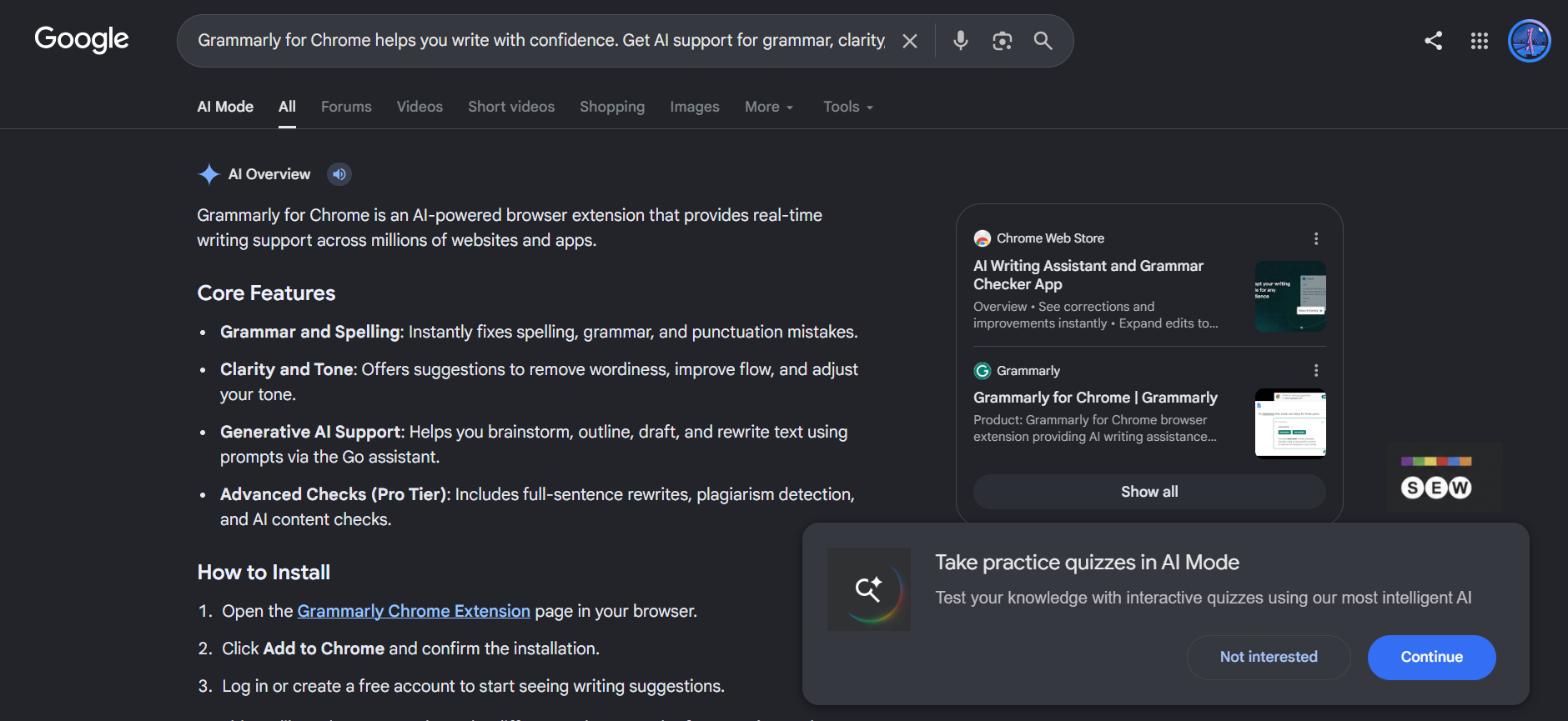
Google Search is showing a new prompt that asks users to take a practice quiz in AI Mode directly from the search results page.

The “Take practice quizzes in AI Mode” card appears at the bottom-right of the page, with “Not interested” and “Continue” buttons.

Image Credit: Venkat | Search Engine Watch

Clicking Continue opens AI Mode with a prefilled prompt based on the search result. In our test, a search for Grammarly for Chrome triggered the prompt. AI Mode displayed, “Generate a quiz to test my knowledge related to the following,” followed by text from the search result.

AI Mode then generated a five-question quiz from that content, with multiple-choice answers and progress indicators.

Google introduced customized practice quizzes in Search in August, with the feature available in English through AI Overviews and AI Mode.

The new prompt adds another way to start one of these quizzes, taking content from a Search result and carrying it straight into AI Mode.

The post Google asks users to take practice quizzes in AI Mode appeared first on Search Engine Watch.

Source:: searchenginewatch.com
Bing tests new ad design within SERP

bing short ad

Bing is testing a new design for ads within its SERP. Previously, these ads appeared differently, but now Bing seems to be testing a new layout featuring a blue background box with the favicon, title, URL, and a short description.

Here is a screenshot of this.

Personally, I like this design. I hadn’t seen it before, so I’m assuming this is a new test, though I could be wrong.

The post Bing tests new ad design within SERP appeared first on Search Engine Watch.

Source:: searchenginewatch.com

Shopify opens checkout to AI shopping agents

Shopify has added tools that let AI agents read and update a shopper’s checkout, then submit the order after the buyer confirms the purchase. The change extends its browser-based shopping tools through checkout and order confirmation.Announced on recently, the update works inside the buyer’s active browser session. Shopify says merchants do not need to configure the checkout tools, which use the same state as the checkout interface the shopper sees.

What an agent can do at checkout

The four tools cover returning to the storefront, reading checkout information, updating supported fields and submitting the purchase. An agent can also retrieve order details after checkout is complete.

Shopify’s documentation describes updates to contact details, shipping choices, discount codes and supported payment selections. The tools cannot accept new card details. Payment flows include saved Shop Pay cards and Shop Pay approvals, while shoppers handle other payment methods on the checkout page.

Before submitting an order, the agent must show the buyer the current order and total and obtain permission. If the total changes, it must ask again. Authentication steps such as 3D Secure, and checkout extensions that require buyer interaction, return control to the shopper.

WebMCP gives agents specific actions to call

WebMCP lets a webpage expose structured tools to a browser agent. That gives the assistant defined actions, rather than requiring it to work out which buttons and fields to use from the page.

Google opened a WebMCP origin trial in Chrome 149 in June. Origin trials let developers test experimental browser features with live applications; the underlying APIs remain subject to development.

Shopify’s August 5 storefront announcement already covered product searches, cart changes and navigation to checkout. It described availability on Liquid storefronts and the Hydrogen developer preview, with agent support limited to Chromium-based browsers through an origin trial.

The September addition supplies tools for working within checkout itself. Actual use still depends on an agent and browser that support WebMCP.

Our take: agent-assisted purchases can stay on the store

For merchants, the important design choice is where the transaction happens. The assistant acts on the checkout already open in the shopper’s tab, with the buyer able to see the order and take over when necessary.

That offers another route alongside the native checkout experience SEW recently covered on Google, where eligible purchases can happen within Google. Shopify’s browser tools let an assistant help finish a purchase on the merchant’s existing checkout page.

Agent developers still need to consider access. Shopify recommends signing browser requests with Web Bot Auth and registering the agent’s keys; requests without it may be deprioritized or blocked by bot detection.

Shopify has documented the transaction mechanism, but its announcement includes no adoption figures or conversion results.

The post Shopify opens checkout to AI shopping agents appeared first on Search Engine Watch.

Source:: searchenginewatch.com