Kategorie-Archiv: SEO

Best image search engines: I tested 10 on real publishing jobs

I’ve spent 20 years advising publishing websites, which means I have spent a ridiculous amount of time looking for images: the right screenshot, the original version of a photograph, a higher-resolution copy, or something an editor could actually publish without creating a copyright problem.

For this guide, I tested 10 image search platforms on the same real-world jobs. I wasn’t interested in which one advertised the most features. I wanted to know which one got me to the right, correctly sourced and usable image fastest.

Google Images is the best image search engine overall. It offers the strongest combination of conventional keyword search, filters and visual search through Google Lens.

It is not the best at everything, however. TinEye is better for tracing exact and altered copies of an existing image. Openverse is a better starting point when reuse rights matter. Getty Images is stronger for licensed editorial photography, while Yandex and Bing can produce useful visual matches that Google misses.

Image search, reverse image search and visual search are not the same

These terms are often used interchangeably, but choosing the wrong type of tool is one reason people conclude that image search no longer works.

Search type What you provide What you want back
Image search Words Images related to those words
Reverse image search An existing image Exact copies, modified versions and pages containing it
Visual search An existing image or part of one Similar objects, products, places or information about what is pictured
Licensed image search Words or an image Media whose ownership and reuse conditions can be checked

No engine has a complete view of the web. In public discussions among regular reverse-search users, the most dependable advice is still to try more than one engine. Google, TinEye, Bing and Yandex index and interpret images differently, so a failure in one is not a final answer.

1. Google Images and Google Lens: best overall

If I could keep only one image search product, I would keep Google Images. It is still the most useful starting point for ordinary searches, particularly when I know how to describe what I need.

Google Images lets you filter results by size, colour, type, time and usage rights. Google Lens adds the ability to upload a file, paste an image URL or drag an image into the search box. It can identify objects, extract text, suggest products and find pages containing the same or similar imagery. Google’s About this image feature can also provide context about where an image has appeared and how other sites have used it.

Its breadth is also its weakness. Lens often tries to understand what an image contains rather than finding every exact copy. This is excellent when identifying a plant or shopping for a chair, but less helpful when an editor needs to trace the first publication of a photograph. A recurring complaint from users is that Lens gives them similar or purchasable items when they wanted the old-style exact-match results.

Google also warns that the Usage Rights filter only finds images carrying licence information. You must confirm the licence with the image provider and host site before publishing anything.

Best for: Everyday image searches, current subjects, object identification and the best all-round starting point.

Avoid it when: You need a dependable list of exact copies or proof of the original source. Use TinEye alongside it.

2. TinEye: best for exact copies and altered images
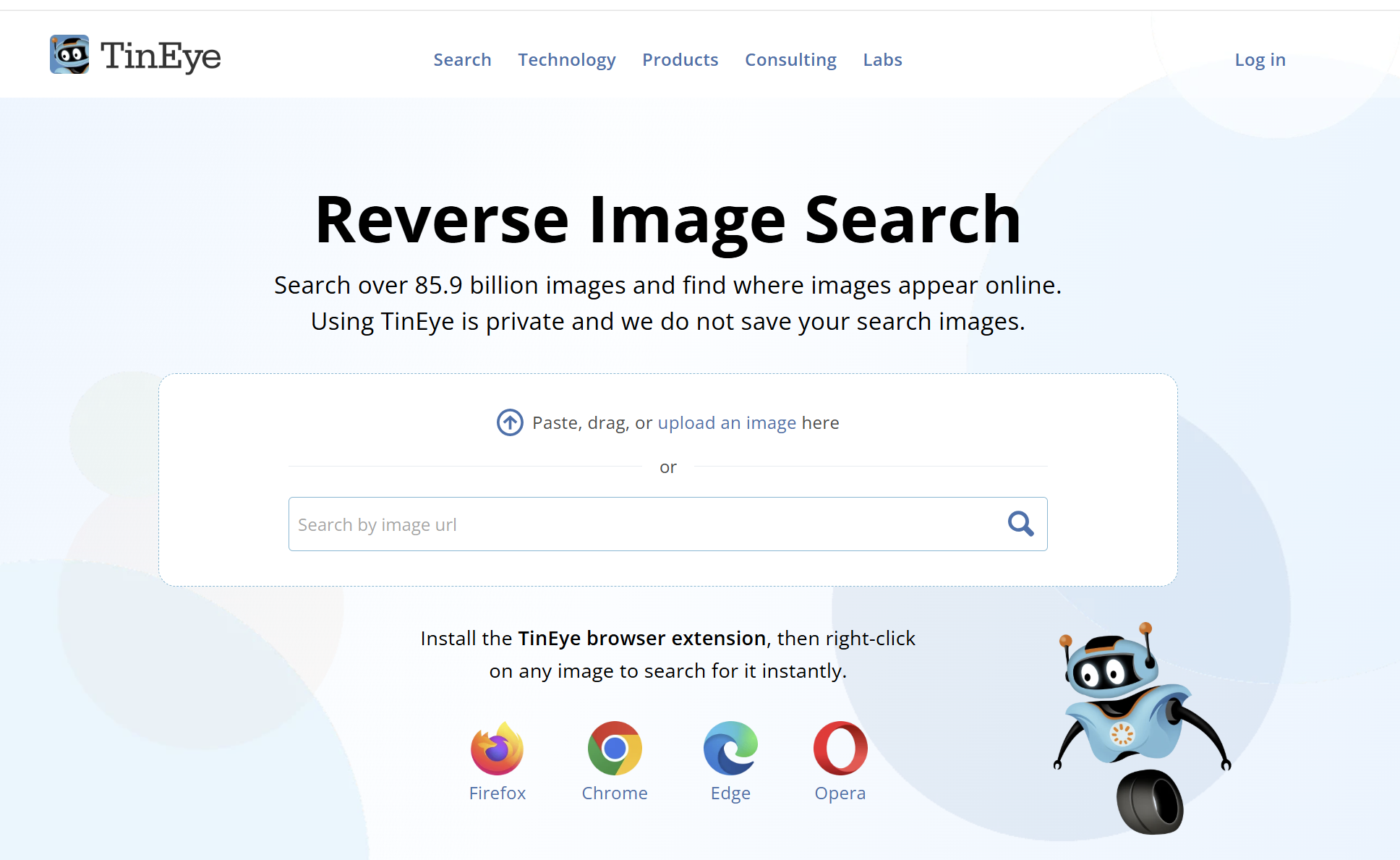
TinEye is not trying to understand what an image depicts. It creates a fingerprint of the image and looks for matching or modified versions in an index that now covers more than 85 billion images.

That narrower purpose makes TinEye particularly useful for publishers, photographers and researchers. Results can be sorted by Best Match, Most Changed, Biggest Image, Newest or Oldest. If I am trying to locate a higher-resolution copy, the Biggest Image option is far more useful than scrolling through pages of visually similar Google results.

There is an important qualification. TinEye’s Oldest result is the date its crawler first found an image, not necessarily the date the image was first published. TinEye states this explicitly, so the result should be treated as a clue rather than proof of authorship.

TinEye is also unusually clear about privacy. It says uploaded images are analysed, fingerprinted and then deleted rather than added to its index. Free non-commercial use is currently limited to 100 searches per day and 300 per week, replacing the much older limit mentioned in the original SEW article.

The weakness is coverage. A zero-result page only means TinEye has no matching fingerprint in its own index. It does not mean the image has never appeared elsewhere. TinEye is also a poor choice when you want different photographs of the same person, building or object.

Best for: Finding exact duplicates, edited copies, possible stock sources and larger versions of a known image.

Avoid it when: You want the engine to recognise an object, face or place rather than match the submitted image.

3. Bing Images and Visual Search: best Google alternative for products and objects

Bing Images is the strongest conventional alternative to Google. Its keyword search offers filters for size, colour, type, layout and licence, while Bing Visual Search accepts an upload, pasted URL or camera image.

Microsoft says Visual Search can return similar images, products, pages containing the image and information about objects in the frame. It can also copy or translate text. The ability to select part of an image is especially helpful when a photograph contains several objects and only one matters.

In practice, Bing is most compelling for products, furniture, clothes, décor and other visually distinctive objects. It is also worth trying whenever Google interprets a visual query too narrowly.

Like Google Lens, Bing may prioritise related products or visually similar images when you are really looking for provenance. Its licence filter is useful for discovery, but the rights still need to be verified on the original page.

Best for: Product discovery, object identification, visual cropping and a second opinion after Google.

Avoid it when: You need certainty about who created an image or when it first appeared.

4. Yandex Images: best when Google cannot make the visual connection
Yandex Images remains the wildcard in my image-search stack. It supports conventional keyword search as well as searching from an uploaded image. Its photo-search interface can look for copies, identify objects, recognise text and return visually similar material.

Yandex is regularly recommended in OSINT and reverse-search communities for difficult visual matches, buildings, locations and faces. It can connect images by composition or subject even when they are not exact copies, which is precisely where TinEye is intentionally limited.

It is not a guaranteed winner. Results vary substantially by image, and public users report both impressive matches and complete failures. I would treat it as a second or third engine rather than the only one.

As with any reverse-search service, do not upload confidential, private or intimate images without first reading the service’s current privacy terms and understanding that the file is being transmitted to a third party.

Best for: Visually similar images, difficult landmarks and another attempt when Google Lens fails.

Avoid it when: The image is sensitive or you require documented provenance rather than a visual lead.

5. Openverse: best for openly licensed images

Openverse is the successor to Creative Commons Search and provides access to more than 800 million openly licensed images and audio files. It is the first place I would search when an editor needs an image that may be reusable without purchasing a conventional stock licence.

Its filters are more useful than its raw result volume. You can narrow by licence, source, image type, aspect ratio and whether the work can be used commercially or modified.

Openverse is also admirably honest about its limitations. Its documentation describes the current search algorithm as relatively simple, and it warns that it cannot guarantee the accuracy of licence information. The platform says users should verify the licence of every work before using it.

That distinction matters. Openverse is an excellent discovery engine, not a legal clearance service. Open the original source, confirm the creator and licence, and save a record of what the source page said when you downloaded the file.

Best for: Finding Creative Commons and public-domain material across multiple collections.

Avoid it when: You need the most current news photography or expect Google-level relevance for obscure queries.

6. Wikimedia Commons: best for historical and educational images
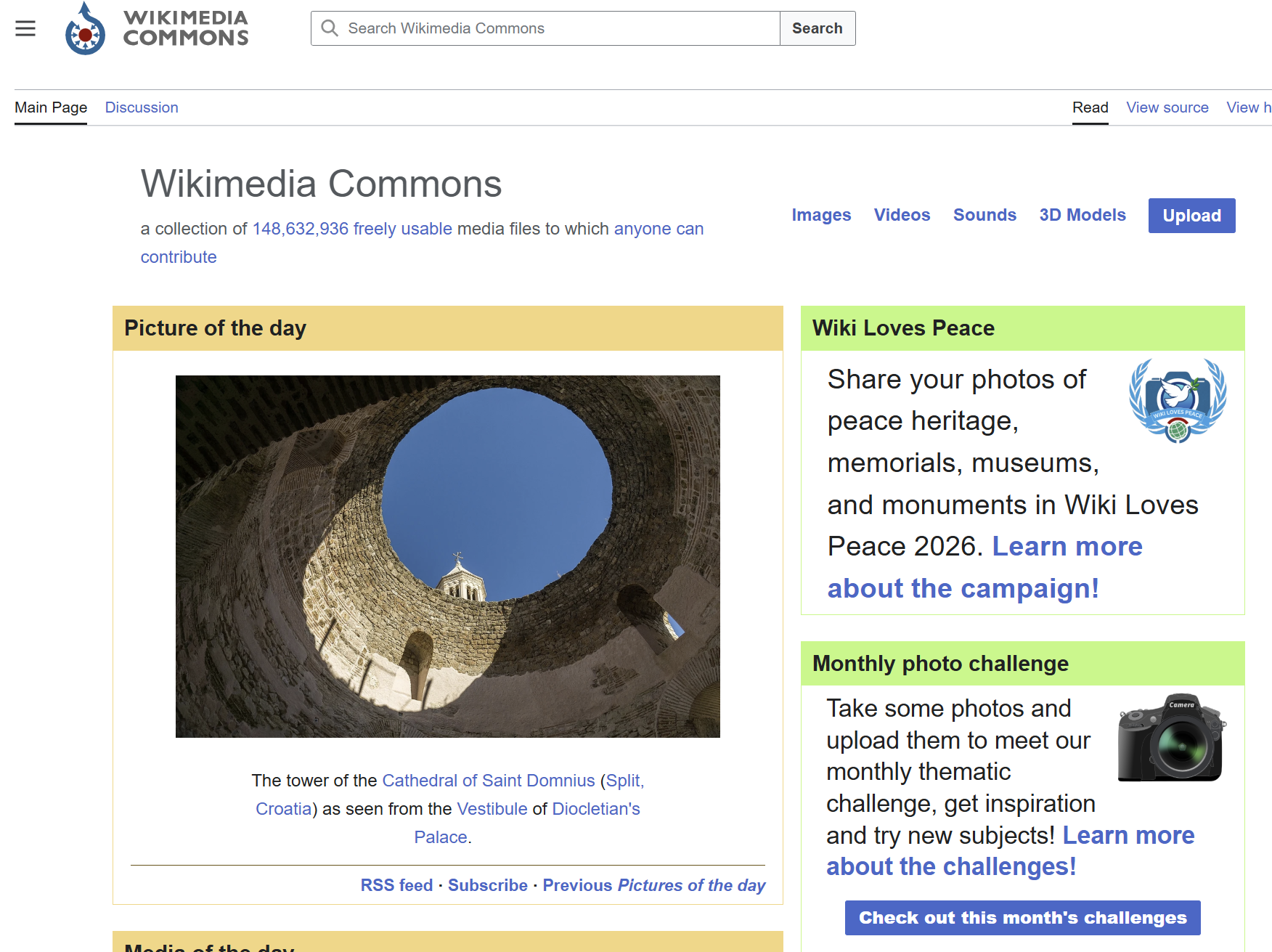
Wikimedia Commons is not as polished as Google Images, but for historical photographs, maps, diagrams, public figures, scientific illustrations and government material, it is indispensable.

Files on Commons are either in the public domain or published under a free licence that permits reuse. That does not mean every image is condition-free. Depending on the file, you may need to credit the creator, link the licence, indicate modifications or distribute derivatives under the same terms. Personality, trademark and jurisdiction-specific restrictions can also remain relevant.

Commons‘ MediaSearch includes filters for files that require attribution, share-alike licensing or no restrictions. The real advantage is the individual file page: it usually brings the description, creator, source, date and licence into one place.

Search can still be uneven because the quality of titles, descriptions and structured data varies across uploads. Try alternative spellings, categories and related Wikipedia pages when a direct query is weak.

Best for: Historical archives, public-domain works, diagrams, landmarks and educational publishing.

Avoid it when: You want contemporary lifestyle stock or a highly polished visual-search experience.

7. Flickr: best for authentic photography and detailed filters
Flickr remains useful because it searches a photography community rather than a generic web index. Its advanced search can filter by colour, orientation, minimum size, date taken, date uploaded, content type, style and licence.

That makes Flickr valuable when generic stock photography looks too generic. You can find local events, places, equipment, architecture and older photographs uploaded by the people who actually took them.

The licence filter is essential. Flickr supports the full range of Creative Commons licences, but many images are still marked All Rights Reserved. The licence shown on the individual photo page determines what you may do, and Creative Commons conditions differ substantially. A non-commercial or no-derivatives image may be unsuitable for an ordinary publisher workflow.

Search quality depends heavily on the photographer’s titles, tags and descriptions, so Flickr can require more query experimentation than Google.

Best for: Genuine photography, local subjects and images filtered by date, size or Creative Commons licence.

Avoid it when: You need a fast answer without checking the individual photographer and licence.

8. Lenso.ai: best newer option for faces, places and copyright monitoring
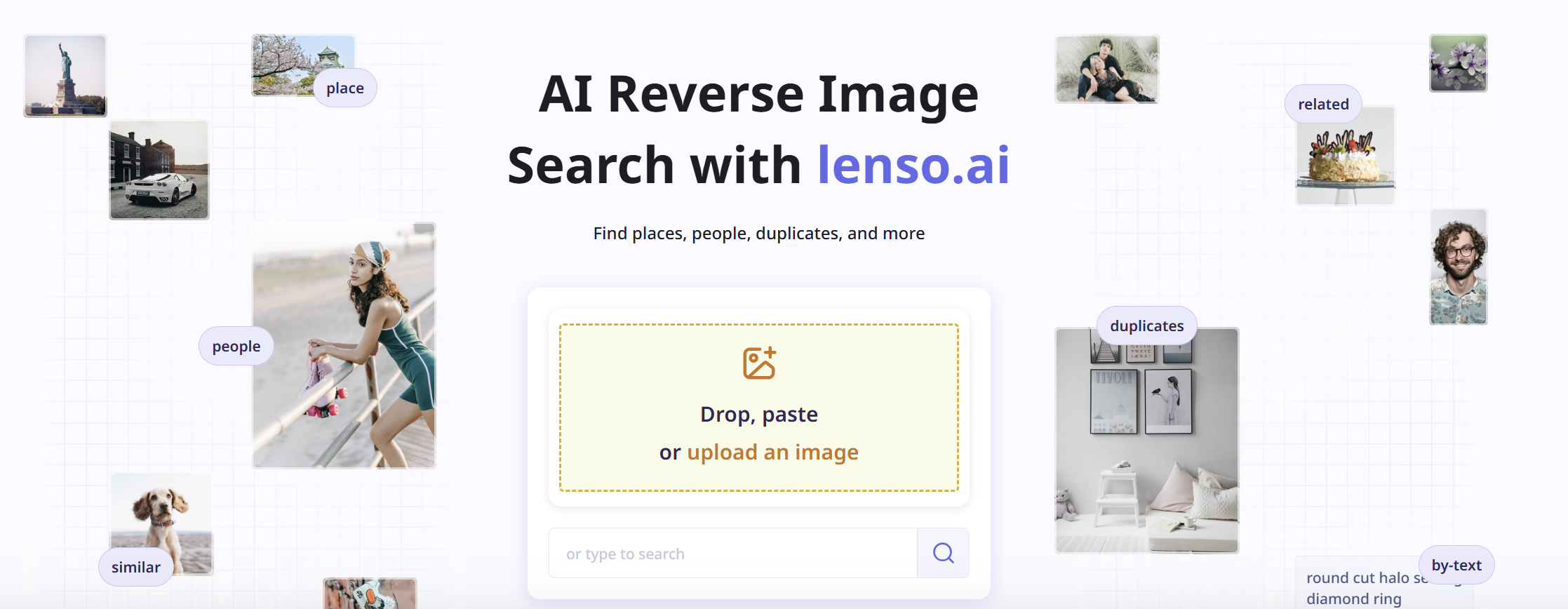
Lenso.ai is a newer AI-based reverse image engine built around separate result categories for people, places, duplicates, related images and visually similar images.

The separation is useful. A photographer tracing copies of an image has a different objective from someone identifying a building, and combining both into one result feed creates noise. Lenso also offers duplicate alerts, domain and text filters, a research mode and an API on higher plans.

It is particularly interesting for faces and for finding different photographs of the same person, although facial search is only available in selected regions. Public feedback is still less extensive than it is for Google, TinEye or Yandex, but some users report matches that conventional reverse search missed.

The commercial model is the main catch. Searches can be previewed, while unlocking source links and more results may require a paid plan. Lenso says it does not use uploaded images for AI training and does not save or share them, but users should read the current privacy policy themselves before uploading personal material.

Best for: Face search where available, places, duplicate monitoring and photographers tracking image use.

Avoid it when: You need a completely free workflow or do not want to upload a personal image to a specialist facial-search service.

9. Pinterest Visual Search: best for inspiration and visual ideas
Pinterest Visual Search is extremely good at answering a different question: show me more things that look like this.

Within a Pin, Pinterest lets you select an object or resize a crop and then searches for visually similar or shoppable items. Its strength is the enormous body of user-curated fashion, interiors, recipes, design, crafts and product imagery.

That makes Pinterest excellent for mood boards, creative direction and product inspiration. It makes it a poor provenance tool. Pins are frequently saved from other websites, and the linked page may not be the original creator. A similar image on Pinterest should never be treated as evidence that it is available to reuse.

Best for: Inspiration, aesthetics, fashion, décor, recipes and visually related products.

Avoid it when: You need to establish ownership, publication history or licensing.

10. Getty Images: best for licensed editorial photography

For a publisher covering current events, entertainment, sport, public figures or historical news, Getty Images solves a problem that free web search often cannot: locating professional imagery with a clear route to licensing it.

Getty separates creative and editorial material and lets users search news, sports, entertainment and archival collections. It now also accepts an image or video as a reference for finding similar editorial material.

The obvious disadvantage is cost. It is also important to understand that royalty-free does not mean free of charge. Getty explains that creative royalty-free files carry broad usage rights after licensing, while some editorial and rights-managed material is priced and restricted according to the intended use.

For a commercial publisher, paying for the correct licence can be far cheaper than trying to establish whether a random image found through Google is safe to publish.

Best for: Current and archival editorial photography with a professional licensing trail.

Avoid it when: You need a no-cost image or have not checked whether the asset is licensed for editorial or commercial use.

11. SauceNAO: best for tracing anime, manga and digital artwork
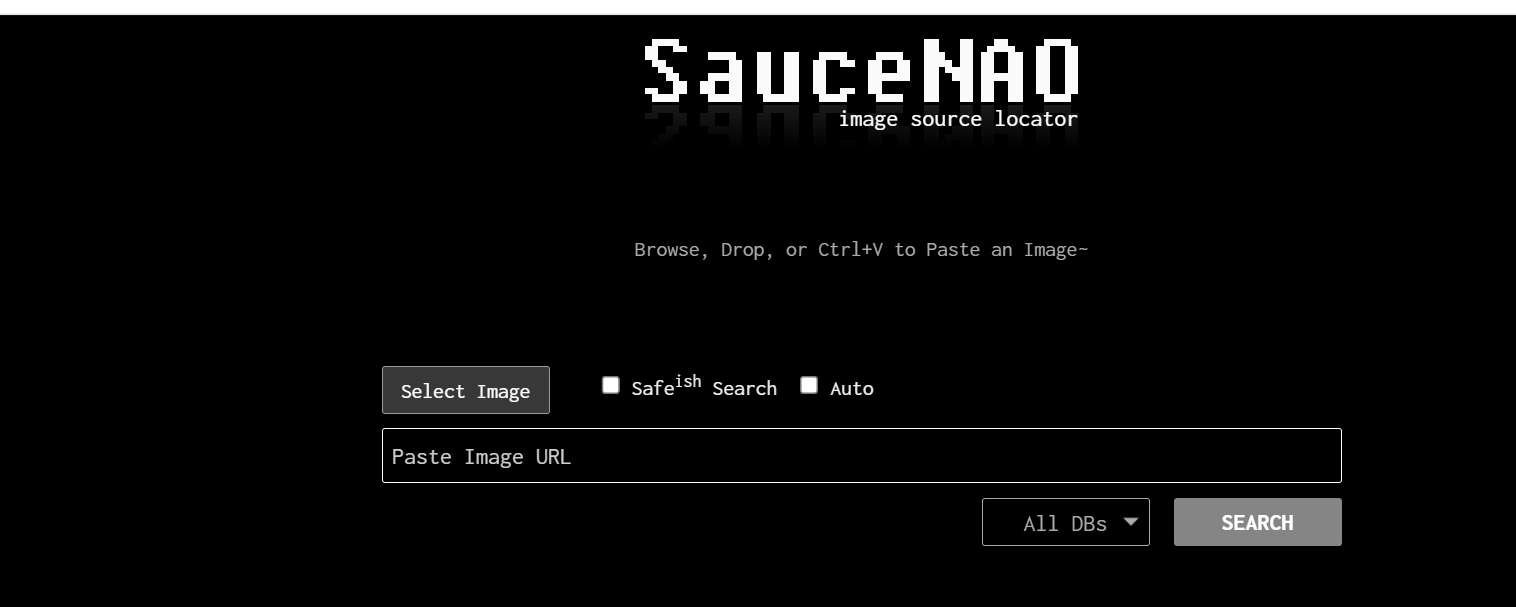
SauceNAO is a specialist image-source locator. It searches databases associated with Pixiv, MangaDex, ArtStation, DeviantArt and numerous anime, manga and illustration communities.

For ordinary photography, it is not competitive with Google or Yandex. For locating an illustrator or the original page behind reposted fan art, it can be dramatically better because it searches the communities where that material originates. The r/anime reverse-search guide recommends it particularly strongly for finding artists and original works.

It performs best when given a reasonably complete, clear version of the artwork. Heavy crops, overlays and low-resolution screenshots can weaken the match.

Best for: Anime, manga, fan art and identifying the original artist or work.

Avoid it when: You are searching ordinary web photography or have only a severely altered fragment.

12. DuckDuckGo Images: best for private searches and hiding much of the AI slop

DuckDuckGo Images is useful for people who want conventional keyword image search without building a personal search history.

DuckDuckGo says traditional image results are largely sourced from Bing, with requests proxied so partners do not receive identifiers that could create a user search history. This means it is a privacy layer and alternative interface more than a completely separate image index.

Its most interesting current feature is the ability to hide AI-generated images. DuckDuckGo uses public blocklists to suppress domains associated with AI imagery and openly acknowledges that the filter is not exhaustive.

For publishers tired of synthetic images overwhelming broad searches, an imperfect filter is still useful. DuckDuckGo also provides size, colour, type, layout and licence controls, although the underlying coverage will often resemble Bing.

Best for: Private keyword searches and reducing, rather than completely eliminating, AI-generated imagery.

Avoid it when: You need a distinctive independent index or a true reverse-image search engine.

The post Best image search engines: I tested 10 on real publishing jobs appeared first on Search Engine Watch.

Source:: searchenginewatch.com
Adobe expects AI shopping referrals to more than double this holiday season

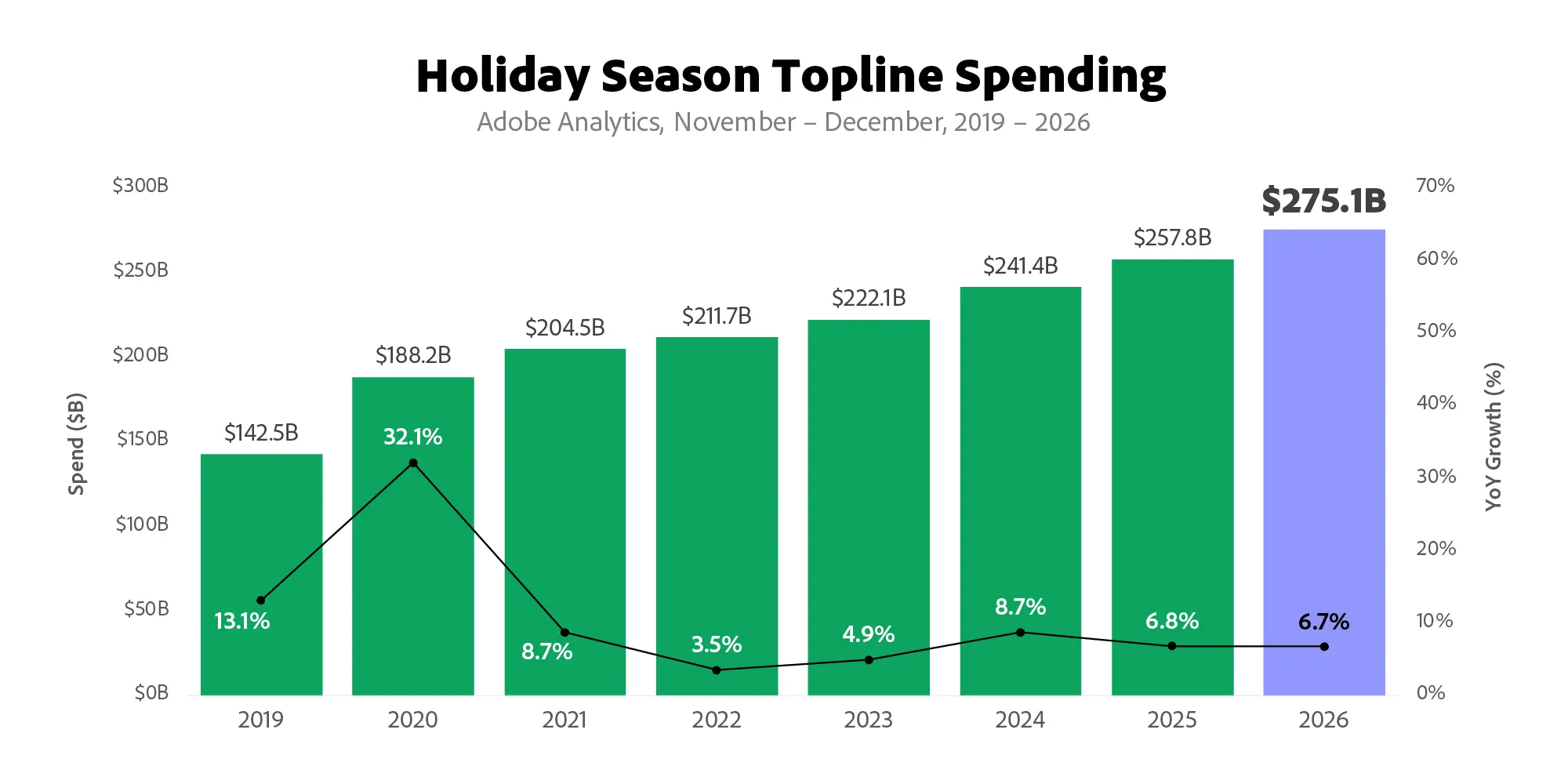
Adobe expects traffic from AI platforms to US retail sites to grow 130% year over year during the 2026 holiday shopping season, as it forecasts online sales will reach $275.1 billion.

The forecast covers November 1 through December 31 and is based on Adobe Analytics data from more than 1 trillion visits to US retail sites, 100 million SKUs and 18 product categories. Adobe says AI traffic is measured by shoppers clicking links from AI-powered chat and browser services through to retail websites.

The 130% figure is therefore a traffic-growth forecast, not a prediction that AI will account for 130% of retail traffic or holiday sales.

High growth vs. overall share

Adobe’s forecast extends a trend it has already observed during 2026. AI-driven traffic to US retail sites grew 127% year over year in August, according to Adobe’s holiday shopping report.

That makes the holiday forecast notable, but the growth rate should not be confused with the channel’s absolute size. Adobe says AI traffic remains modest in overall volume compared with other major channels. The September announcement does not give a percentage showing exactly what share of all retail visits AI referrals represent.

This distinction matters for retailers. A channel can grow very quickly from a relatively small base without immediately becoming one of the largest sources of visits.

For example, during its June Prime Day analysis, Adobe reported that AI traffic to US retail sites had increased 235% year over year during January through May and rose 89% during the Prime Day event itself. Yet Adobe also described the overall volume of AI traffic as modest compared with other major channels. During the event, AI-referred visitors converted 40% better than non-AI traffic.

Holiday sales are growing more slowly than AI referrals

Adobe expects US consumers to spend $275.1 billion online between November 1 and December 31, up 6.7% from the previous year. Cyber Week is forecast to generate $47.5 billion, while Cyber Monday is expected to reach $15.1 billion.

The contrast with AI traffic is striking: AI referrals are forecast to grow 130%, while total holiday online sales are forecast to grow 6.7%. The two, however, are not directly comparable. The AI figure describes growth in a referral channel, while the $275.1 billion figure describes the value of online transactions.

Still, the combination suggests that AI-mediated product discovery is forecast to grow faster than overall online spending. Just recently, SEW reported on how ChatGPT’s emerging product carousel format could make product feeds more important. Similarly, Google Merchant Center’s AI performance report had added sections for AI Search intent, AI Search terms and AI Attributes, giving eligible merchants more information about how products appear in AI-powered searches.

Adobe also expects other acquisition channels to change during the holiday period. Its forecast calls for affiliate and partner revenue share to rise 12% and social media’s share to rise 17%, compared with 4% growth for paid search.

What this means for retailers

Retailers do not need to interpret the 130% forecast as evidence that traditional search has suddenly become irrelevant. Instead, they can treat AI referrals as an additional discovery channel to measure alongside existing search and other referral sources.

If AI-referred sessions begin appearing more frequently in your analytics, compare them with other referral sources on visits, engagement, conversions and revenue. That will show you whether the growth is simply producing more visits or bringing commercially useful shoppers to the site.

For now, Adobe’s forecast points to a rapidly growing channel, but its own data also shows why growth rate and channel size need to be read together.

The post Adobe expects AI shopping referrals to more than double this holiday season appeared first on Search Engine Watch.

Source:: searchenginewatch.com
Manus 2.0 launches video editing, and I tested it on a 30-second ad

Manus 2.0 adds video editing, event-triggered workflows and a new way for its AI agents to keep projects running when users are away from their computers. The September 28 update also introduces a new agent architecture called Cascade, upgrades the desktop app to Manus Studio and adds a separate personal-agent app called Cue. Manus says the update is available now on the web, desktop and mobile.

Businesses that use Manus can now move beyond completing a task from a prompt. An automation can start because something happens in a connected service, while a video project can move from an initial brief into an editable timeline.

What Manus 2.0 adds

The biggest changes fall into three areas: automation, creation and persistent computing. Manus says its new Cascade agent harness loads specialist capabilities when a project needs them rather than keeping everything active from the start. In one tested configuration, Manus says Cascade used 23.2% fewer tokens, completed tasks in 28.2% less time and cost 32% less to run than its previous system. Those figures come from Manus‘ own test and are not an independent benchmark.

For automation, Manus has moved beyond scheduled tasks. Its new Automations can start work when an event occurs in a connected service. For example, Manus says a new email, a change in advertising performance, a calendar event, a Slack message or a Notion update can trigger a workflow. The user describes what to watch and what should happen next, and Manus sets up the workflow.

That changes the starting point for an automation. Instead of telling Manus to perform a task at a scheduled time every day, a business could configure a workflow around an event, such as a new message or a change in a campaign metric.

These changes also fit into a wider shift in how AI companies are packaging agents. SEW recently reported on Anthropic merging Claude Cowork into regular Claude chat. That change similarly moves multi-step work closer to the normal chat experience, with Claude able to move from a conversation into longer workflows.

OpenAI has also introduced dots, AI agents that keep working after users log off. The agents can continue assigned tasks using their own cloud computers, although access and capabilities vary by plan and region.

Manus is approaching the same broader problem from a different direction: connect the task, the files, the creative tools and the automation inside one project environment.

From campaign brief to video edit

Manus‘ own example shows how the new Video Editor is intended to work. The company describes a launch ad that Manus has already turned into a first cut. If the user wants different music or would rather use their own product photograph, the Video Editor puts the clips, images, text, motion graphics and audio onto a timeline so those individual elements can be changed without generating the entire video again.

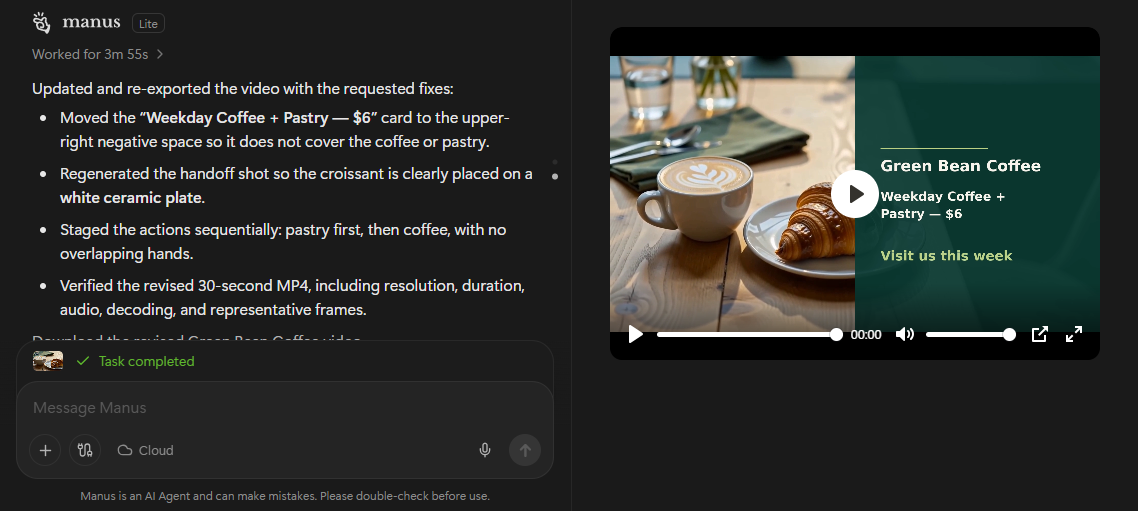
I tested it on my own with a short brief to create a 30-second promotional video for a fictional small business. Manus understood the brief and took 21 minutes to produce the video. It worked in the background and let me know what was happening at every juncture before producing the first cut.

I asked Manus to make three changes to the final edit: add a plate, regenerate a handoff shot and remove obstruction text from the view. The second round took less than four minutes and Manus completed all three requested changes. This made the editing workflow more useful than simply generating another video from scratch, since I could request specific changes to the existing result.

Manus says Video Editor is designed for short product ads between 30 and 60 seconds, as well as AI UGC, tutorials, vlogs and motion-led videos. Its Video Editor documentation also says users can import local footage and edit generated and existing media together.

Which parts cost extra?

The new features do not all have the same pricing model. Manus says its standard usage is measured in credits, which can be consumed by model processing, virtual machines and some third-party APIs. The number of credits a task uses depends on its complexity and duration.

Cloud Computer is more clearly separated from ordinary task usage. Manus describes it as a persistent cloud server for projects that need to keep running when the user’s computer is off. Its current documentation lists three paid options: $10 per month for Basic, $30 for Standard and $50 for Advanced.

That matters for the new Automations feature because not every event-triggered workflow necessarily needs a permanently running computer. Manus specifically positions Cloud Computer for projects that need an environment to stay online, such as an automation that must continue running around the clock.

The actual cost depends on which parts of the new system a workflow actually uses.

What Manus 2.0 changes for businesses

My test suggests the more useful change in Manus 2.0 is not simply that it can create a promotional video, but that the result can be refined through follow-up requests without starting over. That gives businesses a way to move from an initial concept to a revised creative without rebuilding the video from scratch.

For a small business, this could make Manus useful for producing occasional promotional content, particularly when the first version needs several rounds of changes. The next step is to test the workflow against the business’s actual needs and monitor how many credits those tasks use.

Businesses considering the wider Manus 2.0 workflow should then separate the tasks that need occasional input from those that need to run continuously. Event-triggered automations may require additional computing resources, so the cost and complexity will depend on how much of the workflow a business wants to keep running in the background

The post Manus 2.0 launches video editing, and I tested it on a 30-second ad appeared first on Search Engine Watch.

Source:: searchenginewatch.com

5 Wayback Machine alternatives for finding and saving web pages

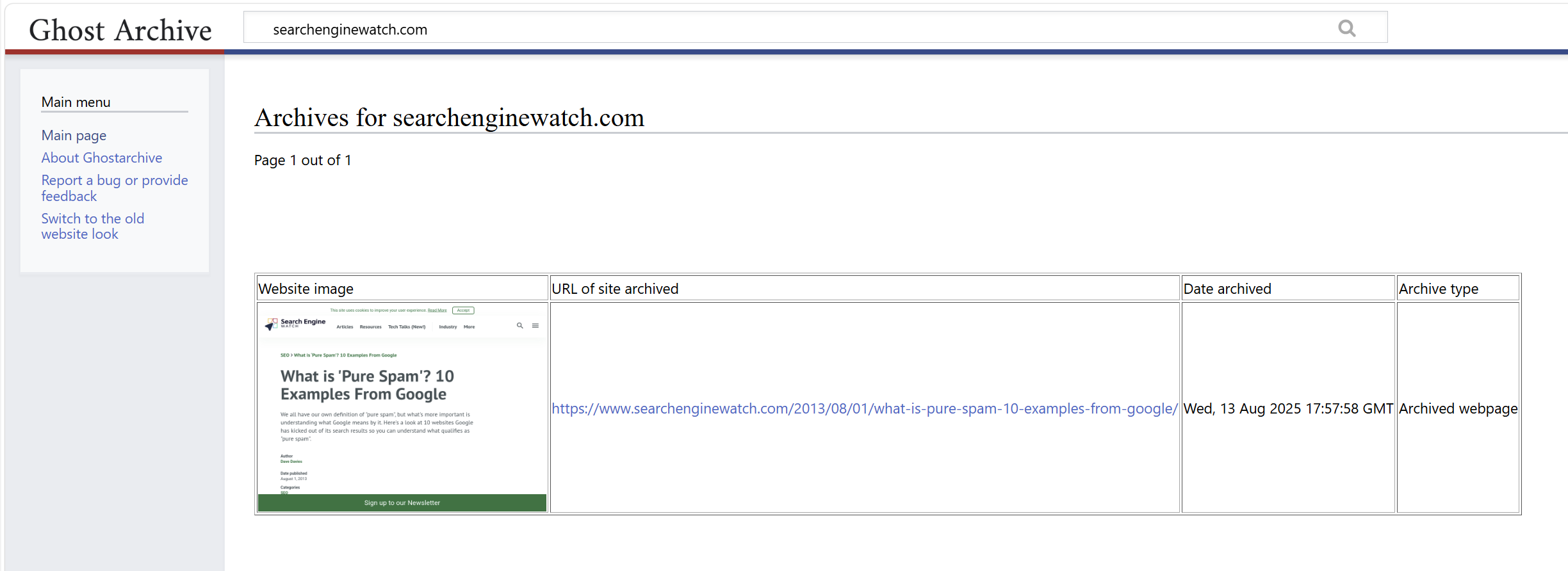
Start with Arquivo.pt when a Wayback Machine search comes up empty. It lets you search by URL or by words from a missing page. Ghostarchive is another free public archive to check, with support for some embedded video. Both depend on someone having captured the material before it disappeared.

For material you can still open, our other picks cover three useful jobs: Perma.cc for a citation, ArchiveWeb.page for a browser recording you keep locally, and Browsertrix for scheduled site crawls. Their access, export and pricing differences are set out below.

We have also separated screenshot services and SEO change monitors from the main list. Those are useful when you want to watch a page from now on. An old, already-deleted pricing page needs an existing archive.

The five alternatives at a glance

Tool Use it for Where its history comes from Cost
Arquivo.pt Finding a page by URL, phrase or image An existing public collection, with a Portuguese-web focus Free
Ghostarchive Finding or saving a public page, including some video Existing public snapshots and new submissions Free; no account required
Perma.cc Preserving a page you will cite Pages submitted by its users Individual subscriptions from $10/month; link packs from $15; eligible institutional access is free
ArchiveWeb.page Recording an interactive browsing session Pages and resources loaded during your recording Free
Browsertrix Building a recurring archive of a site or collection Crawls you configure Hosted plans from $30/month; self-hosting is also available

Documentation, service notices and published prices checked September 24, 2026. These are recommendations for specific tasks, based on documented features and access conditions. We did not run a comparative capture benchmark or test paid accounts.

1. Arquivo.pt: search for the words you remember

An old product name, quotation or article title can be enough to begin a search in Arquivo.pt. Its full-text search is particularly useful when you have lost the original URL. The advanced search form lets you specify an exact phrase, exclude words, narrow the date range and restrict results to a website or file format.

For example, someone tracing an old company announcement could search a distinctive phrase and then narrow the results to the company’s domain. Arquivo.pt also supports site: restrictions and type:pdf searches.

The service also offers URL history, image search and APIs. Researchers can move from a remembered phrase to an archived page, then inspect other versions of the same address. Its ArchivePageNow service accepts live pages for recording.

Arquivo.pt’s collecting mission centers on the Portuguese web, although its holdings extend beyond Portugal. Expect coverage to vary considerably by site. We recommend it for its search options, especially when an exact-URL lookup has reached a dead end.

2. Ghostarchive: another public collection, with some video support

Ghostarchive has separate fields for saving a live page and searching existing captures. Its search accepts an exact URL, a URL fragment or a wildcard, which gives you several ways to look for an old address.

The service says captures can include images, framed content and videos from some websites. It is free and requires no account. That makes it a useful second archive to search when a missing page contained media.

There are specific limits. Stored pages, including their resources, must be smaller than 50 MB. For video, Ghostarchive attempts a version up to 360p that fits below 100 MB; livestreams and videos longer than 30 minutes may fail. Password-protected pages are outside its stated scope.

After opening a result, play the video and check the passage you need. Ghostarchive offers a ReplayWeb.page-based viewer and a simpler alternative, which can help when a capture behaves differently across browsers.

3. Perma.cc: preserve the source behind a citation

Perma.cc fits a familiar publishing problem: you finish an article or report, and a source changes before the reader follows the link. You submit the page while it is available and use the resulting Perma Link as a reference.

The project is maintained by Harvard’s Library Innovation Lab and administered by a consortium of libraries. Its archives can be downloaded and opened with software that replays WARC files, the web-archive format used to package captured material.

For individuals, subscriptions cost $10 a month for 10 links, $25 for 100, or $100 for 500. One-time packs cost $15 for 10, $30 for 100, or $125 for 500. Eligible academic users and court staff can receive free access through the relevant program. Publishers and other organizations have separate group arrangements.

The pack is worth considering for an occasional research project. Its links can be created on your own timetable; unused monthly subscription quota expires at the end of the billing period.

Perma captures the submitted page. Save any separately linked document you also need. After the initial 24-hour window, links enter its permanent collection, and canceling a subscription leaves those existing records accessible. This makes the ongoing bill easier to assess: you are paying for the ability to create more links.

4. ArchiveWeb.page: keep the browser session you actually need

ArchiveWeb.page is Webrecorder’s free tool for recording pages as you browse. It is available as a Chromium browser extension and a desktop application. The recordings stay on your device unless you choose to share them.

It is a useful option for a page with tabs, expandable answers or content that loads as you scroll. Start a recording, visit the sections you need and allow the page’s resources to finish loading. The extension reports pending URLs, and its View Recorded Page control lets you inspect a replay while the recording is still running.

For an SEO example, you could record a product page before a redesign: the default view, an expanded specification panel and the content below the fold. Open the replay and check those same states before signing off the capture.

The collection can be exported as WARC or WACZ files for storage and later replay. WACZ packages the archive into a portable bundle; the download menu supports a whole collection or selected pages.

The work involved is mostly yours: choosing what to visit, checking what was recorded and keeping the files backed up. For a handful of important interactive pages, that control is often useful. A scheduled collection of hundreds of pages is a better fit for Browsertrix.

5. Browsertrix: schedule a proper site archive

Browsertrix is Webrecorder’s automated browser-based crawler. You configure the URLs and scope, set a schedule and collect the results for replay or export. It is available as a hosted service or through self-hosting.

Its crawl settings include page, time and size limits, along with scrolling and clicking behaviors. You can constrain a crawl to a section of a website, exclude unwanted paths and run it daily, weekly or monthly. Those controls are useful for a documentation library, publication or site redesign that needs repeatable captures.

The hosted Starter plan costs $30 a month after a seven-day trial. It includes 180 execution minutes per month, 100 GB of storage and up to 2,000 pages per crawl. Standard costs $60 a month and Plus costs $120, with larger allowances.

Budget around the time each crawl takes and how much data you retain. A media-heavy site or a page that waits for several interactions can consume the allowance differently from a collection of simple articles.

Start with one representative section before scheduling the whole site. Inspect a normal page, a page with interactive content and any login-dependent view. Browsertrix’s documentation specifically warns that scheduled crawls can continue after a saved browser profile has been logged out. Put a periodic profile check into the workflow.

The post 5 Wayback Machine alternatives for finding and saving web pages appeared first on Search Engine Watch.

Source:: searchenginewatch.com
Meta hires MongoDB’s CEO to sell you AI alongside the ads

Meta has hired MongoDB CEO Chirantan “CJ” Desai to lead a new enterprise AI business, with ambitions to supply software to companies that already use its platforms to reach customers.

The company announced Meta Enterprise Platform on September 28. Desai becomes chief enterprise platform officer, reporting directly to Mark Zuckerberg. Its initial product list includes the Muse agent, Meta Business Agent, Muse API and Muse Code.

Zuckerberg described the division as “the next major pillar of our business.” Desai said it would turn Meta’s AI stack into products and services companies can deploy for their own operations.

A business software executive for a business software push

Desai previously led product and engineering at Cloudflare and spent nearly eight years at ServiceNow, including as president and chief operating officer.

MongoDB confirmed his departure and appointed former chief executive Dev Ittycheria as interim CEO while it searches for a permanent successor. The database company also reaffirmed its quarterly and annual guidance.

Meta’s announcement gives no enterprise pricing or availability timetable. It names Muse API and Muse Code without explaining their capabilities or access terms.

Muse already reaches beyond Meta’s apps

A day later, Meta announced Muse for Small Business, adding skills and connectors to its personal agent, available in the US and Canada.

Meta says owners can connect Instagram professional account analytics, Facebook Pages and Meta ad accounts, alongside services including Shopify, QuickBooks, Klaviyo and Canva.

Its suggested tasks include analyzing sales and campaigns, drafting advertising and examining monthly expenses. Those are Meta’s proposed uses; the announcement provides no independent assessment of their accuracy or business results.

Meta says nothing publishes, sends or spends without the owner’s approval. It describes Muse as free for most needs, with subscription plans for additional usage.

Meta is moving closer to the decisions behind ad spending

Connecting campaign data with storefront sales and accounting records gives Meta’s agent a broader role than drafting an ad. In the workflow Meta describes, the same assistant could examine business performance and propose the next campaign.

That creates potential overlap with work agencies and software vendors perform for their clients. The extent will depend on what Meta actually delivers and how businesses use it.

Muse also acts on the customer side of commerce, where Amazon has blocked its shopping agent. Meta’s enterprise push would extend its software into the businesses those customers buy from.

The post Meta hires MongoDB’s CEO to sell you AI alongside the ads appeared first on Search Engine Watch.

Source:: searchenginewatch.com